Fusion Settings (Raivin-only)
These settings configure the fusion service which combines the radar and LiDAR point clouds with the vision model output and provides output on the fusion topics. The fusion service implements two pipelines: a late-fusion pipeline which projects the sensor points onto the camera image and annotates every point with the vision class and instance it falls in, and an optional radar fusion model pipeline which runs an EdgeFirst Fusion Model on the radar cube and camera frames.
Tip
These values are stored in the /etc/default/fusion file on the device and can be hand-edited. The Web UI exposes the radar input topic, the fusion model, and the occupancy grid settings, the remaining keys described below are only available in the file.
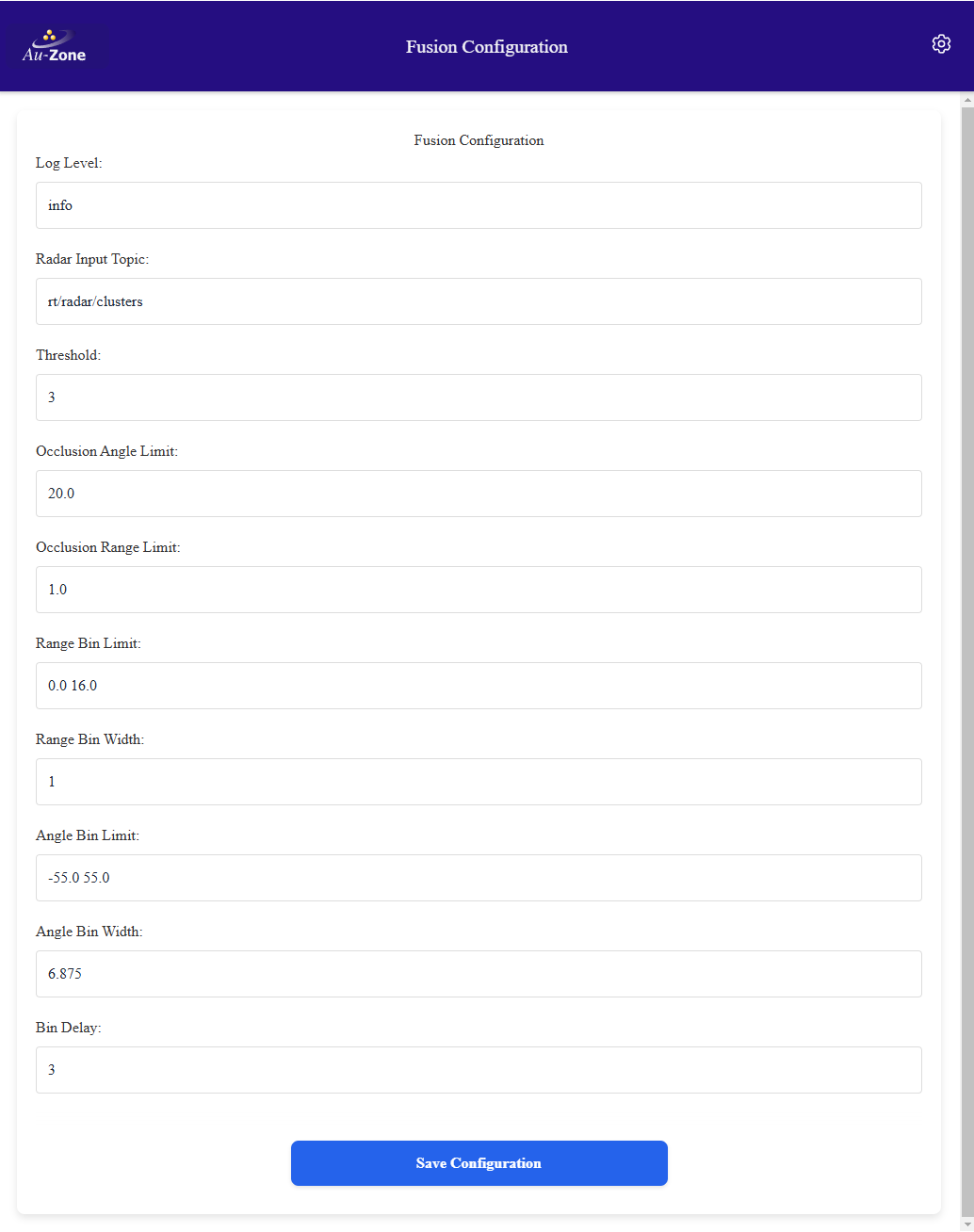
Log Level
Log level for the application, relevant sub-filters include edgefirst_fusion and zenoh. Refer to the RUST_LOG documentation for details. Stored as RUST_LOG with a default of info.
Sensor Input Topics
The late-fusion pipelines are enabled by setting their input topic, leaving a topic empty disables that pipeline. Topic names are relative to the device hostname namespace.
| Key | Raivin Default | Description |
|---|---|---|
RADAR_PCD_TOPIC |
radar/targets |
Radar point cloud input, radar/clusters provides better target stability when clustering is enabled |
LIDAR_PCD_TOPIC |
LiDAR point cloud input, lidar/clusters or lidar/points |
|
VISION_MODEL_TOPIC |
model/output |
Unified vision model output with detection boxes and segmentation masks |
MODEL_INFO_TOPIC |
model/info |
Model information used to resolve label names to class indices |
INFO_TOPIC |
camera/info |
Camera intrinsics used to project sensor points onto the image |
The service also subscribes to tf_static for the camera, radar, and LiDAR extrinsics. The Radar Input Topic field on the settings page maps to RADAR_PCD_TOPIC.
Max Model Age
Stored as MAX_MODEL_AGE with a default of 0.5 seconds, the maximum age of the vision model output relative to the current point cloud frame. A warning is logged when stale model output is used for fusion, 0 disables the check.
Fusion Output Topics
| Key | Default | Description |
|---|---|---|
RADAR_OUTPUT_TOPIC |
fusion/radar |
Radar points annotated with vision_class and instance_id, active when the radar input is set |
LIDAR_OUTPUT_TOPIC |
fusion/lidar |
LiDAR points annotated with vision_class and instance_id, active when the LiDAR input is set |
BBOX3D_TOPIC |
fusion/boxes3d |
3D bounding boxes from the clustered points |
BBOX3D_SRC |
radar |
Sensor source for the 3D boxes, radar, lidar, or disabled |
GRID_TOPIC |
fusion/occupancy |
Occupancy grid |
GRID_SRC |
radar |
Sensor source for the occupancy grid, radar, lidar, or disabled |
Radar Fusion Model
The radar fusion model pipeline runs an EdgeFirst Fusion Model on the radar cube and camera frames to predict a bird's eye view occupancy grid. The Raivin ships with the ultra-short range EdgeFirst Fusion Models under /usr/share/edgefirst/fusion/, the pipeline is disabled until a model is configured. Refer to Uploading Models for deploying a model trained in EdgeFirst Studio.
| Key | Default | Description |
|---|---|---|
MODEL |
Path to the radar fusion model (TFLite), empty disables the pipeline. The "The Radar model" field on the settings page | |
MODEL_DECODER |
Optional second-stage decoder model for two-stage fusion models | |
CAMERA_TOPIC |
camera/frame |
Camera frame input for the fusion model |
RADARCUBE_TOPIC |
radar/cube |
Radar cube input, requires the radar cube to be enabled |
MODEL_OUTPUT_TOPIC |
fusion/model_output |
Fusion model prediction output published as a mask |
MODEL_POLAR |
false |
Interpret the model output grid as polar coordinates |
MODEL_THRESHOLD |
0.5 |
Confidence threshold applied to the model output. The "Threshold" field on the settings page |
MODEL_GRID_SIZE |
1 1 |
Real-world size (length width) in meters of each output cell, width in degrees when polar |
LOGITS |
true |
Apply the sigmoid function to the raw model outputs |
ENGINE |
npu |
Inference engine, npu, cpu, or gpu |
Tracking
The ByteTrack tracker reduces flickering in the radar fusion model output and provides persistent track identifiers for the 3D bounding boxes.
| Key | Default | Description |
|---|---|---|
TRACK |
false |
Enable the tracker |
TRACK_EXTRA_LIFESPAN |
0.5 |
Seconds a tracked object may be missing before its track is removed |
TRACK_IOU |
0.1 |
IoU threshold for associating detections with existing tracks |
TRACK_UPDATE |
0.4 |
Kalman filter update factor from 0.0 to 1.0 |
Occupancy Settings
The range and angle bins interpret the radar fusion model output and generate the occupancy grid when the input point cloud is not clustered, for example when the radar input topic is radar/targets instead of radar/clusters. When the input is clustered, the occupancy grid contains one point per cluster located at its centroid.
Range Bin Limit
The minimum and maximum range to use for range bins, in meters. Stored as RANGE_BIN_LIMIT with a default of 0 16.
Range Bin Width
The size of each range bin, in meters. Stored as RANGE_BIN_WIDTH with a default of 1.0.
Angle Bin Limit
The minimum and maximum angles, in degrees, to use for angle bins. 0 degrees is forward. Stored as ANGLE_BIN_LIMIT with a default of -55 55.
Angle Bin Width
The size of each angle bin, in degrees. Stored as ANGLE_BIN_WIDTH with a default of 6.875.
Threshold
The number of required targets in a bin to acknowledge the target as real as opposed to noise that is filtered out. Only used in unclustered mode. Stored as THRESHOLD with a default of 1.
Bin Delay
Bin delay in radar message count. Each cell needs to be valid for "bin delay" frames before it is drawn. The cell stops being drawn after being invalid for "bin delay" frames. Only used in unclustered mode. Stored as BIN_DELAY with a default of 3.
Note
The Occlusion Angle Limit and Occlusion Range Limit fields on the settings page are not used by the current fusion service.