Service Status
This page allows users to enable, disable, start, and stop the middleware services of the Maivin and Raivin. Each service card shows whether the service is running and whether it starts on boot. To enable or disable a service, or start or stop a service, just toggle the corresponding switch.
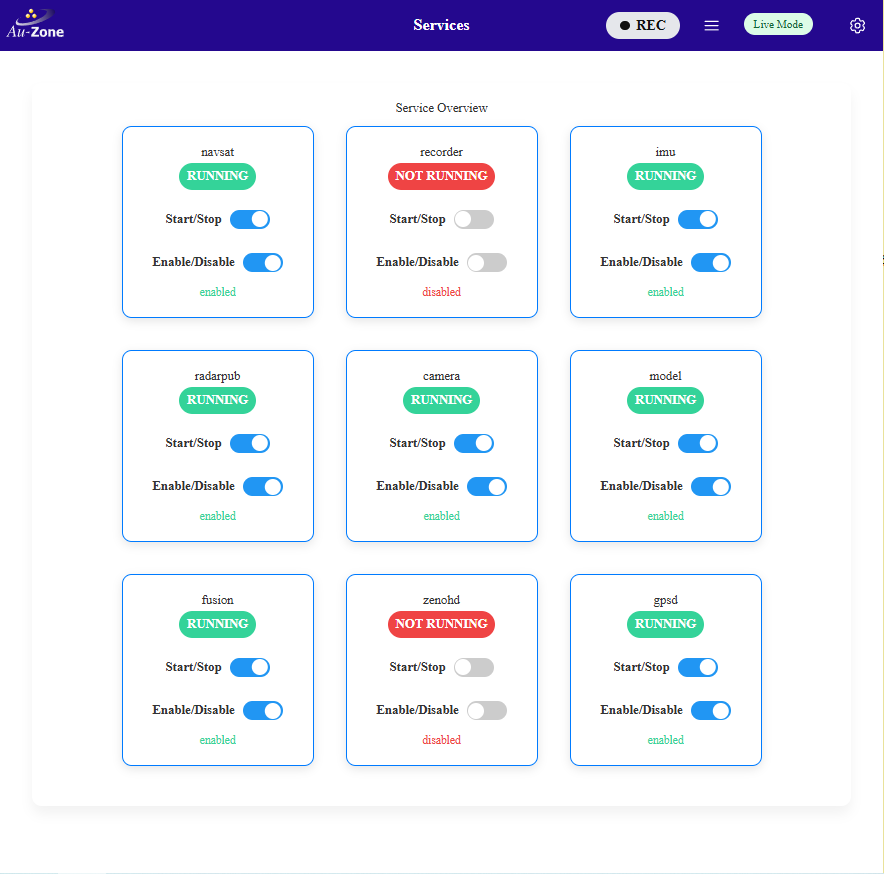
On a Maivin the camera, model, IMU, NavSat, and Web Server services are enabled and running by default. Raivin configurations additionally enable the radar or LiDAR publisher and the fusion service during provisioning. The recorder and replay services are controlled from the MCAP dialog of the Web UI and are stopped unless a recording or replay is active. The Zenoh router zenohd is disabled by default and only needs to be enabled when remote applications connect to the device topics.
The landing page of the Web UI only shows the visualization cards whose services are running, for example the Radar card only appears when the radar publisher is active. Services started outside of systemd are not reflected on the landing page, though the visualization pages remain reachable by their URL.