Camera Schema Examples
These examples demonstrate how to connect to various camera topics published on your EdgeFirst Platform and how to display the information through the command line.
Topic Names
The topics below are subscribed with their bare names, which requires the Zenoh session to be opened with the namespace set to the device hostname as shown in the Developer Guide. Subscribe with a **/ prefix, for example **/camera/h264, to match the topics from a session without a namespace or from a remote device.
Warning
If the Rerun live feed appears to lag, your computer may lack the processing necessary for that stream size, either reduce the stream size or use the --save argument to save it as a .rrd file which you can replay afterwards
Camera Info
Topic: /camera/info
Message: Image
Sample Code: Python / Rust
Setting up subscriber
After setting up the Zenoh session, we will create a subscriber to the camera/info topic
# Create a subscriber for "camera/info"
loop = asyncio.get_running_loop()
drain = MessageDrain(loop)
session.declare_subscriber('camera/info', drain.callback)
// Create a subscriber for "camera/info"
let subscriber = session
    .declare_subscriber("camera/info")
    .await
    .unwrap();
Receive a message
We can now await a message from that subscriber. After receiving the message, we will pass that message along to our processing function in a new thread to avoid missing messages.
async def info_handler(drain):
    while True:
        msg = await drain.get_latest()
        thread = threading.Thread(target=info_worker, args=[msg])
        thread.start()

        while thread.is_alive():
            await asyncio.sleep(0.001)
        thread.join()
use edgefirst_schemas::sensor_msgs::CameraInfo;

// Receive a message
let msg = subscriber.recv().unwrap();
let info: CameraInfo = cdr::deserialize(&msg.payload().to_bytes())?;
Process the Data
The CameraInfo message contains camera calibration and configuration information. You can access various fields like:
def info_worker(msg):
    info = CameraInfo.deserialize(msg.payload.to_bytes())
    width = info.width
    height = info.height
    rr.log("CameraInfo", rr.TextLog("Camera Width: %d Camera Height: %d" % (width, height)))
Results
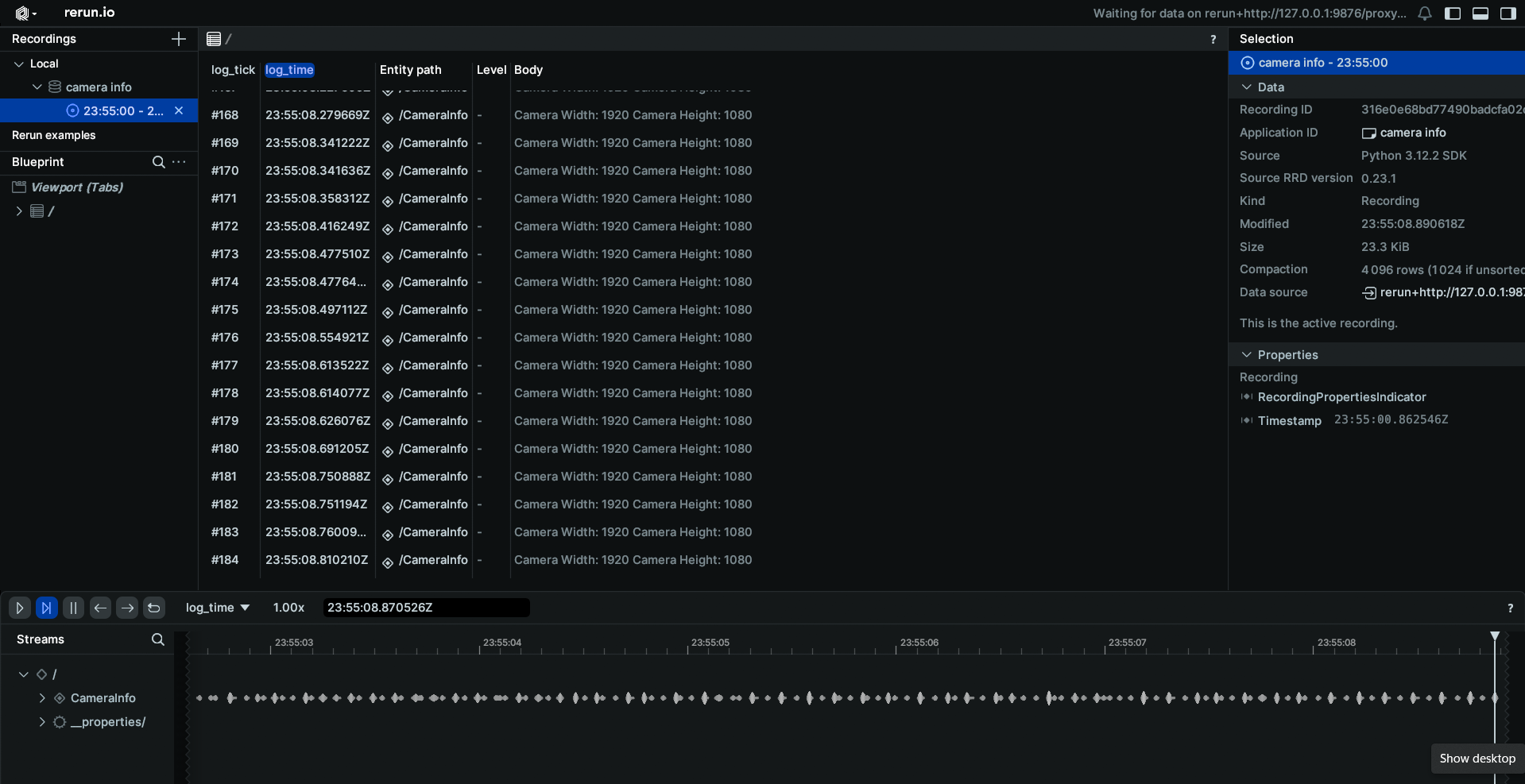
When displaying the results through Rerun you will see a log of the camera width and height.
// Access camera parameters
let width = info.width;
let height = info.height;
let text = "Camera Width: ".to_owned() + &width.to_string() + " Camera Height: " + &height.to_string();
let _ = rr.log("CameraInfo", &rerun::TextLog::new(text));
Camera Frame
Topic: /camera/frame
Message: CameraFrame
Sample Code: Python / Rust
Warning
The Camera Frame example is only functional when run directly on the EdgeFirst Platform as it references DMA buffers that are only accessible on the EdgeFirst Platform. The example must run with the same permissions as the camera service, use sudo.
Migrating from DmaBuffer
The camera/frame topic and its CameraFrame message replace the camera/dma topic and DmaBuffer message of earlier releases. The published sample code predates this change, the snippets below show the equivalent processing with the CameraFrame message from EdgeFirst Schemas 4.0.
Setting up subscriber
After setting up the Zenoh session, we will create a subscriber to the camera/frame topic
# Create a subscriber for "camera/frame"
loop = asyncio.get_running_loop()
drain = MessageDrain(loop)
session.declare_subscriber('camera/frame', drain.callback)
// Create a subscriber for "camera/frame"
let subscriber = session
    .declare_subscriber("camera/frame")
    .await
    .unwrap();
Receive a message
We can now await a message from that subscriber. After receiving the message, we will pass that message along to our processing function in a new thread to avoid missing messages.
async def frame_handler(drain):
    while True:
        msg = await drain.get_latest()
        thread = threading.Thread(target=frame_worker, args=[msg])
        thread.start()

        while thread.is_alive():
            await asyncio.sleep(0.001)
        thread.join()
use edgefirst_schemas::edgefirst_msgs::CameraFrame;

// Receive a message
let msg = subscriber.recv().unwrap();
let frame = CameraFrame::from_cdr(&msg.payload().to_bytes()).unwrap();
Process the Data
The CameraFrame message carries a stamped Tensor. The tensor contains the process ID of the camera service, the image format as a FOURCC such as NV12, the shape as [height, width], and one TensorPlane per plane with the file descriptor handle, offset, stride, size, and used length of the DMA buffer. The process ID and the plane handle are necessary to access the image, the file descriptor is duplicated into our process with pidfd_getfd and mapped with mmap.
The ISP produces NV12 frames which carry two planes, the luma plane followed by the interleaved chroma plane. Both planes reference the same DMA buffer so a single duplicated file descriptor covers the frame, and each plane is located within the buffer by its own offset and used length. The buffer is mapped from its start rather than from the plane offset because mmap requires a page aligned offset, which the chroma plane offset generally is not.
from edgefirst.schemas.edgefirst_msgs import CameraFrame

def frame_worker(msg):
    frame = CameraFrame.from_cdr(msg.payload.to_bytes())
    tensor = frame.tensor
    height, width = tensor.shape[0], tensor.shape[1]

    pidfd = pidfd_open(tensor.pid)
    if pidfd < 0:
        return

    # All planes of the frame share one DMA buffer, so the handle of the
    # first plane is enough to reach the whole frame.
    fd = pidfd_getfd(pidfd, tensor.planes[0].handle, GETFD_FLAGS)
    if fd < 0:
        return

    # Map the buffer from its start and copy each plane out of the mapping
    # to assemble the complete NV12 frame.
    length = max(p.offset + p.size for p in tensor.planes)
    mm = mmap.mmap(fd, length, offset=0)
    nv12 = b"".join(mm[p.offset:p.offset + p.used] for p in tensor.planes)
    rr.log("/camera", rr.Image(bytes=nv12,
                                width=width,
                                height=height,
                                pixel_format=rr.PixelFormat.NV12))
    mm.close()
    os.close(fd)
    os.close(pidfd)
let tensor = frame.tensor();
let planes: Vec<_> = tensor.planes().collect();
let (height, width) = (tensor.shape()[0] as u32, tensor.shape()[1] as u32);

let pidfd: PidFd = match PidFd::from_pid(tensor.pid() as i32)
let fd = match get_file_from_pidfd(pidfd.as_raw_fd(), planes[0].handle() as i32, GetFdFlags::empty())

// Map the buffer from its start, the plane offsets are not page aligned.
let buffer_size = planes
    .iter()
    .map(|plane| plane.offset() as usize + plane.size() as usize)
    .max()
    .unwrap();
let mmap = unsafe {
    from_raw_parts_mut(
        mmap(
            null_mut(),
            buffer_size,
            PROT_READ,
            MAP_SHARED,
            fd.as_raw_fd(),
            0,
        ) as *mut u8,
        buffer_size,
    )
};
// Copy each plane out of the mapping to assemble the complete NV12 frame.
let nv12: Vec<u8> = planes
    .iter()
    .flat_map(|plane| {
        let start = plane.offset() as usize;
        mmap[start..start + plane.used() as usize].to_vec()
    })
    .collect();
let rr_image = rerun::Image::from_pixel_format(
    [width, height],
    rerun::PixelFormat::NV12,
    nv12,
);
let _ = rec.log("camera/frame", &rr_image);

unsafe {
    munmap(mmap.as_mut_ptr() as *mut c_void, buffer_size);
}
Results
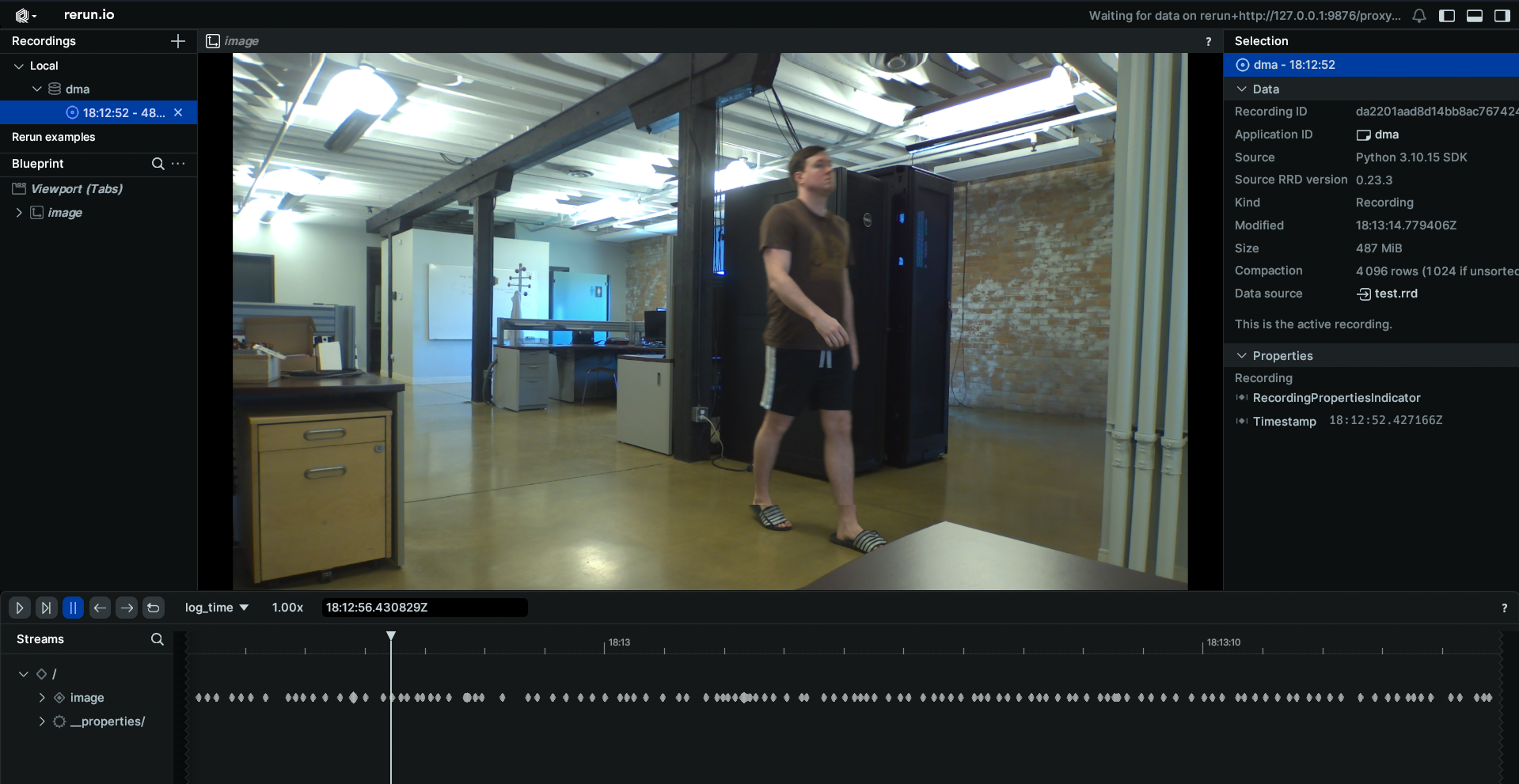
When displaying the results through Rerun you will see the live camera feed from your EdgeFirst Platform.
H264 Camera Feed
Topic: /camera/h264
Message: CompressedVideo
Sample Code: Python / Rust
Setting up subscriber
After setting up the Zenoh session, we will create a subscriber to the camera/h264 topic.
# Create a subscriber for "camera/h264"
loop = asyncio.get_running_loop()
drain = MessageDrain(loop)
session.declare_subscriber('camera/h264', drain.callback)
// Create a subscriber for "camera/h264"
use openh264::decoder::Decoder;
let subscriber = session
    .declare_subscriber("camera/h264")
    .await
    .unwrap();
let mut decoder = Decoder::new()?;
Receive a message
We can now await a message from that subscriber. After receiving the message, we will pass that message along to our processing function in a new thread to avoid missing messages.
async def h264_handler(drain):
    raw_data = io.BytesIO()
    container = av.open(raw_data, format='h264', mode='r')
    while True:
        msg = await drain.get_latest()
        thread = threading.Thread(target=h264_worker, args=[msg, raw_data, container])
        thread.start()

        while thread.is_alive():
            await asyncio.sleep(0.001)
        thread.join()
use edgefirst_schemas::foxglove_msgs::FoxgloveCompressedVideo;
// Receive a message
let msg = subscriber.recv().unwrap();
let video: FoxgloveCompressedVideo = cdr::deserialize(&msg.payload().to_bytes())?;
Process and Log the Data
The CompressedVideo message contains H.264 encoded video data. This data can be logged by the following
def h264_worker(msg, raw_data, container):
    raw_data.write(msg.payload.to_bytes())
    raw_data.seek(0)
    for packet in container.demux():
        try:
            if packet.size == 0:
                continue
            raw_data.seek(0)
            raw_data.truncate(0)
            for frame in packet.decode():
                frame_array = frame.to_ndarray(format='rgb24')
                rr.log('/camera', rr.Image(frame_array))
        except Exception:
            continue
use openh264::nal_units;
use openh264::formats::YUVSource;

for packet in nal_units(&video.data) {
    let Ok(Some(yuv)) = decoder.decode(packet) else { continue };
    let rgb_len = yuv.rgb8_len();
    let mut rgb_raw = vec![0; rgb_len];
    yuv.write_rgb8(&mut rgb_raw);
    let width = yuv.dimensions().0;
    let height = yuv.dimensions().1;

    let image = Image::from_rgb24(rgb_raw, [width as u32, height as u32]);
    rr.log("image", &image)?;
}
Results
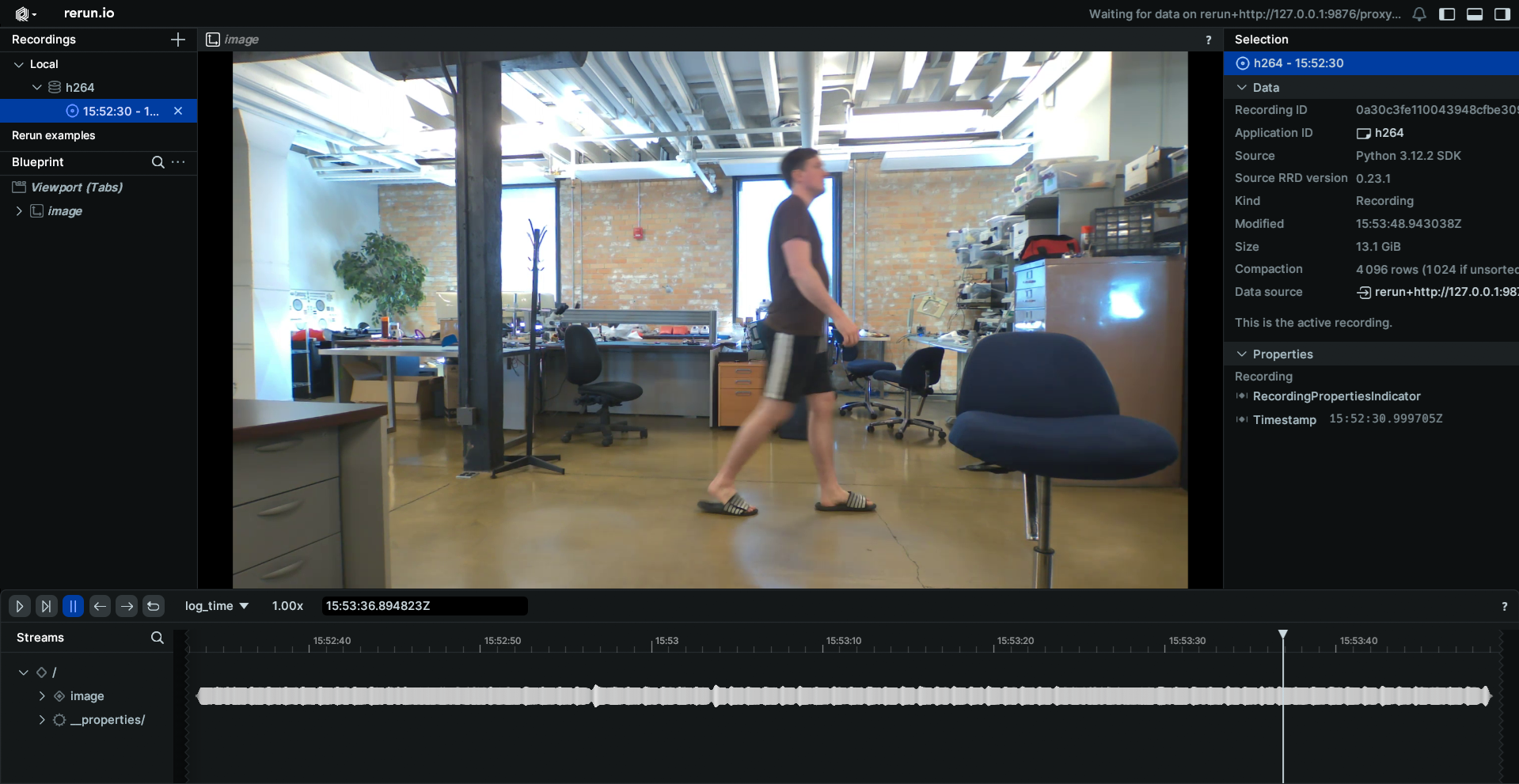
When displaying the results through Rerun you will see the live camera feed from your EdgeFirst Platform.
JPEG Camera Feed
Topic: /camera/jpeg
Message: CompressedImage
Sample Code: Python / Rust
Setting up subscriber
After setting up the Zenoh session, we will create a subscriber to the camera/jpeg topic
# Create a subscriber for "camera/jpeg"
loop = asyncio.get_running_loop()
drain = MessageDrain(loop)
session.declare_subscriber('camera/jpeg', drain.callback)
// Create a subscriber for "camera/jpeg"
let subscriber = session
    .declare_subscriber("camera/jpeg")
    .await
    .unwrap();
Receive a message
We can now await a message from that subscriber. After receiving the message, we will pass that message along to our processing function in a new thread to avoid missing messages.
async def jpeg_handler(drain):
    while True:
        msg = await drain.get_latest()
        thread = threading.Thread(target=jpeg_worker, args=[msg])
        thread.start()

        while thread.is_alive():
            await asyncio.sleep(0.001)
        thread.join()
use edgefirst_schemas::sensor_msgs::CompressedImage;

// Receive a message
let msg = subscriber.recv().unwrap();
Process the Data
The CompressedImage message contains JPEG encoded image data. You can process the data with the following
def jpeg_worker(msg):
    image = CompressedImage.deserialize(msg.payload.to_bytes())
    np_arr = np.frombuffer(bytearray(image.data), np.uint8)
    im = cv2.imdecode(np_arr, cv2.IMREAD_COLOR)
    im = cv2.cvtColor(im, cv2.COLOR_BGR2RGB)
    rr.log('/camera', rr.Image(im))
let im: CompressedImage = cdr::deserialize(&msg.payload().to_bytes())?;
let image = EncodedImage::from_file_contents(im.data);
rr.log("image", &image)?;
Results
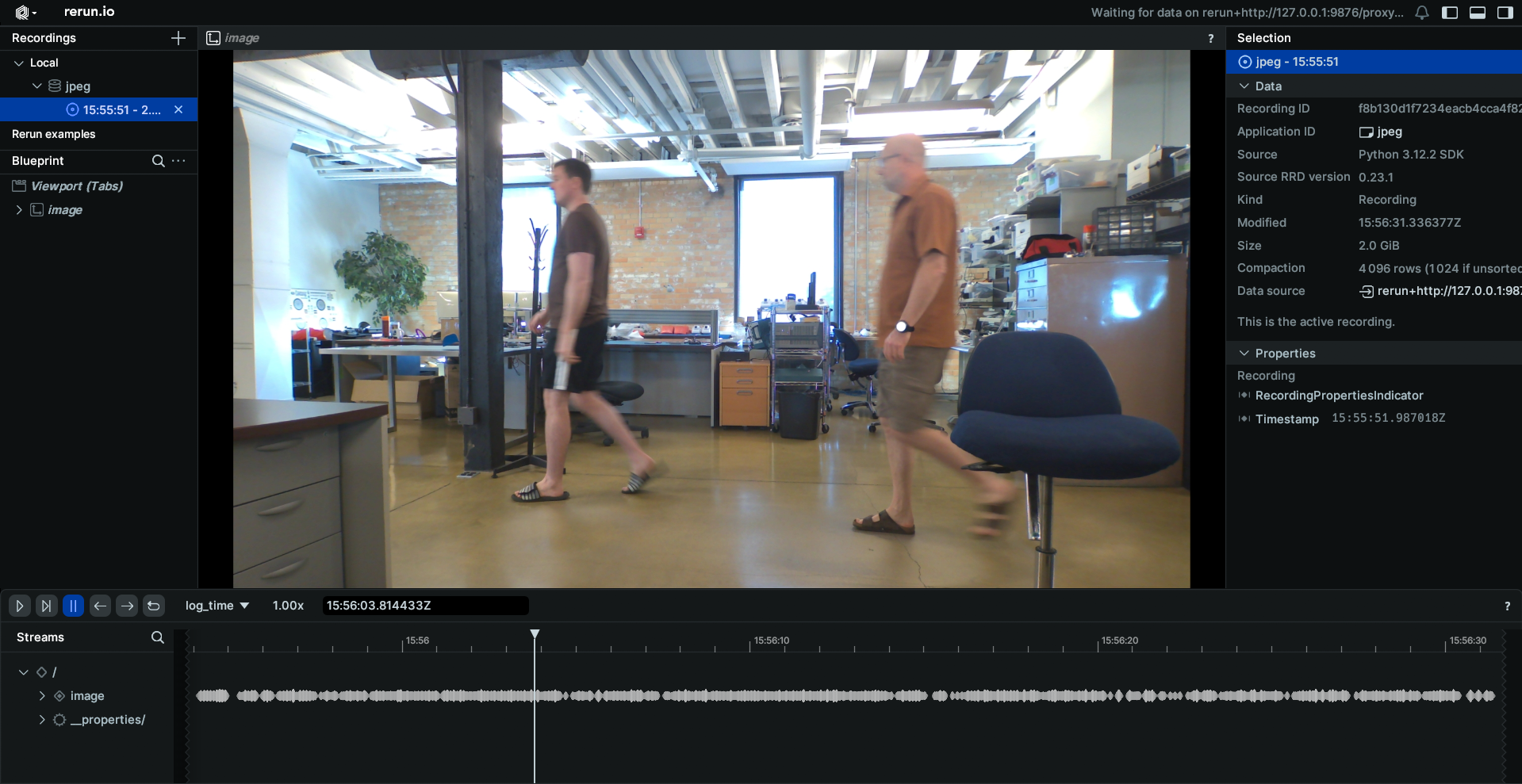
When displaying the results through Rerun you will see the JPEG image feed.