Subscription
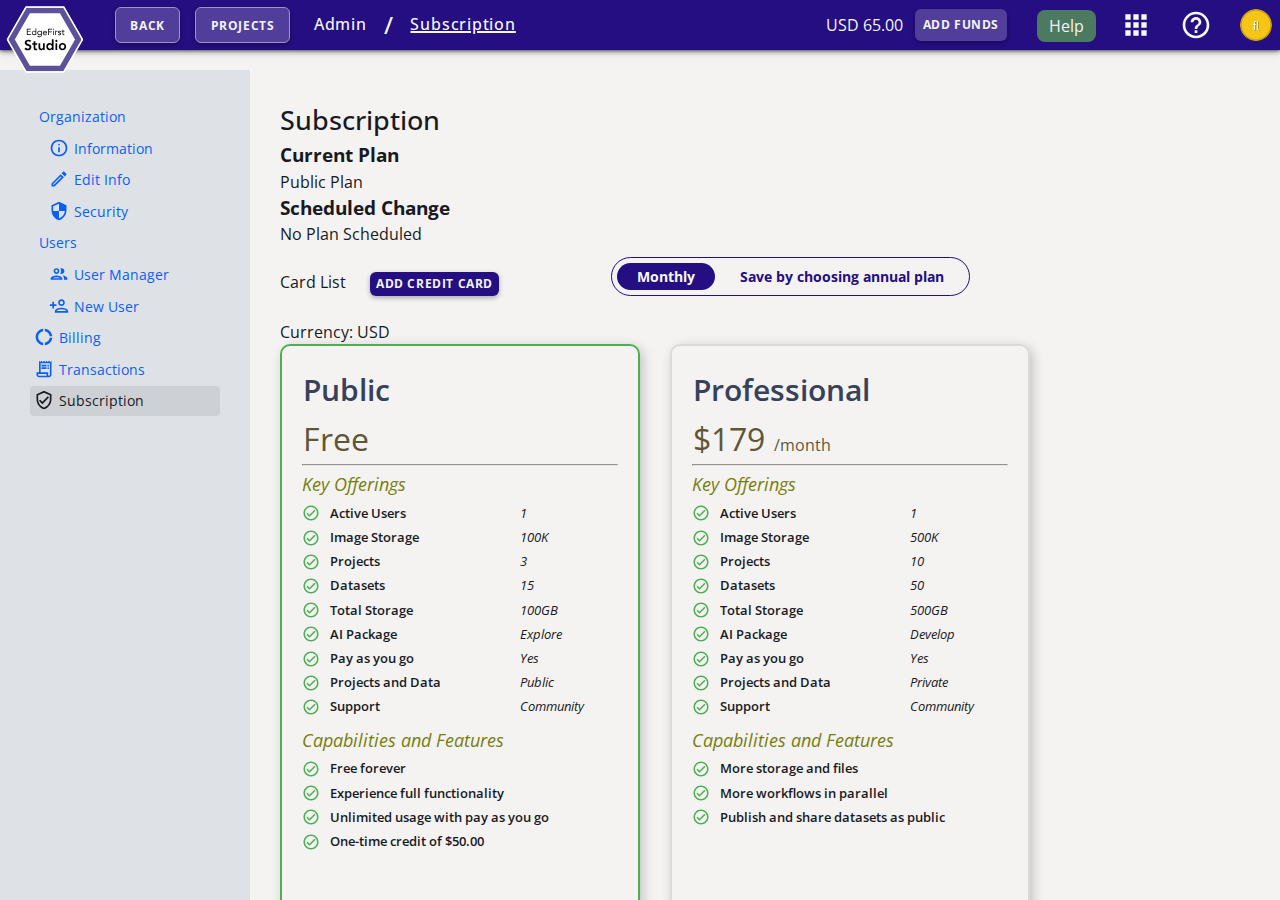
The Subscription page allows administrators to view and manage the organization's subscription plan and saved payment methods. To access this page, navigate to Admin Console from the user menu, then click Subscription from the side navigation.
Current Plan
The Current Plan section shows the active subscription tier and any Scheduled Change that will take effect at the next billing cycle. The billing currency is displayed below the plan selector.
Card List
The Card List section shows all credit cards saved to the organization. Click Add Credit Card to register a new card. On each saved card row you can:
- Click Default to make that card the primary payment method.
- Click the delete icon to remove the card from the account.
Billing Period
Use the Monthly / Save by choosing annual plan toggle to switch between monthly and annual billing. Annual billing reduces the effective monthly cost.
Available Plans
EdgeFirst Studio offers the following subscription tiers:
| Feature | Free (Public) | Professional ($179/month) | Teams ($359/month) |
|---|---|---|---|
| Active Users | 1 | 1 | 20 |
| Image Storage | 100K | 500K | 4M |
| Projects | 3 | 10 | 30 |
| Datasets | 15 | 50 | 250 |
| Total Storage | 100 GB | 500 GB | 2 TB |
| AI Package | Explore | Develop | Scale |
| Pay as you go | Yes | Yes | Yes |
| Projects and Data | Public | Private | Private |
| Support | Community | Community | Custom |
To change your plan, click the Choose button on the desired plan card. The change takes effect at the start of the next billing cycle unless a downgrade is applied immediately.
Annual Savings
Switching to the annual billing period reduces the effective monthly cost compared to paying month-to-month.
Next Steps
To add credit balance to your account, see Top-up. To review usage costs and transaction history, see Billing Information.