TensorRT Converter
The TensorRT Converter prepares an ONNX model exported from an EdgeFirst Studio training session for deployment on NVIDIA Jetson devices. It is the only EdgeFirst Converter App that produces a portable bundle rather than a deployment-ready binary: the cloud-side job packages the ONNX model with a build.sh script, and the user runs that script on the target Jetson, where trtexec compiles the final .engine against the exact OS, JetPack, CUDA, and TensorRT versions present on the device.
This design is forced by TensorRT's binary contract: TensorRT 10.3 engine binaries are platform-locked at the OS and ABI level. An engine built on AWS Batch (x86-64) is rejected by the Jetson aarch64 TRT runtime with a "platform tag mismatch" error, even when the GPU compute capabilities match. NVIDIA's own DeepStream / TAO workflow defers the engine build to the target device for the same reason; the TensorRT Converter follows that pattern.
Model Zoo — Supported Models & Benchmarks
For the latest supported model list, FP16 accuracy benchmarks, and validation results on NVIDIA Jetson, see the EdgeFirst Model Zoo on Hugging Face.
Studio Launch Form
The TensorRT Converter exposes no conversion knobs in EdgeFirst Studio — there is no conversion group on the launch form. You pick the training session and click Start App; the form includes an informational note explaining that the output is a portable bundle requiring an on-device build step.
The only effective user choice happens later on the Jetson itself: ./build.sh fp16 (the default and recommended setting) or ./build.sh fp32 (for debugging — larger and slower). That choice is made when running the bundle's build script on the target device.
What You Get
A .tensorrt.zip archive containing:
model.onnx— the optimized ONNX graph (onnxsim+onnx-graphsurgeonconstant-fold pass applied).edgefirst.json— the EdgeFirst metadata, in schema v2 form.labels.txt— class labels.build.sh— the on-target compilation script.README.md— per-bundle deployment instructions.
After running the on-device build, the final artifact is a sealed .fp16.engine (or .fp32.engine) with edgefirst.json and labels.txt ZIP-appended. The on-device build also injects per-build values into edgefirst.json — engine SHA-256, build timestamp, on-device TensorRT version, builder flags — so deployed engines remain fully traceable back to their Studio training session.
Smart Quantization on Jetson
Smart Quantization does not apply here. Jetson is an FP16 target — NVIDIA Jetson Orin GPUs have native FP16 CUDA cores that deliver near-INT8 throughput at near-FP32 accuracy. There is no INT8 quantization step to defeat, and therefore no shared-INT8-scale problem to solve. The compiled outputs[] faithfully reflects whatever the trainer's ONNX produced; the runtime decoder takes the FP16 outputs straight to NMS.
INT8 on Jetson via the TRT INT8 calibration path is a future direction. It is not implemented today; the converter does not consume calibration data and the bundle does not include calibration support.
Converting Your Model
Conversion has two stages: EdgeFirst Studio packages the ONNX model and supporting files into a portable .tensorrt.zip bundle, and then build.sh runs on the target Jetson to compile the engine. The bundle itself is portable across machines; the resulting .engine is hardware-specific and must be built on (or for) the device that will run it.
Native cross-compilation support
Native cross-compilation of TensorRT engines is in progress and will eliminate the second on-device build stage when available.
-
Click on the completed training session.
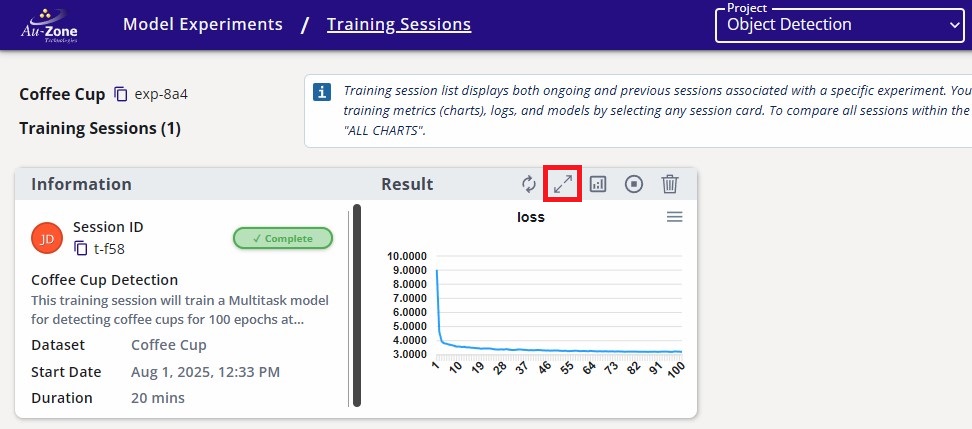
Completed Training Session -
Navigate to the Artifacts tab and click the TensorRT Converter button under Converters on the right.
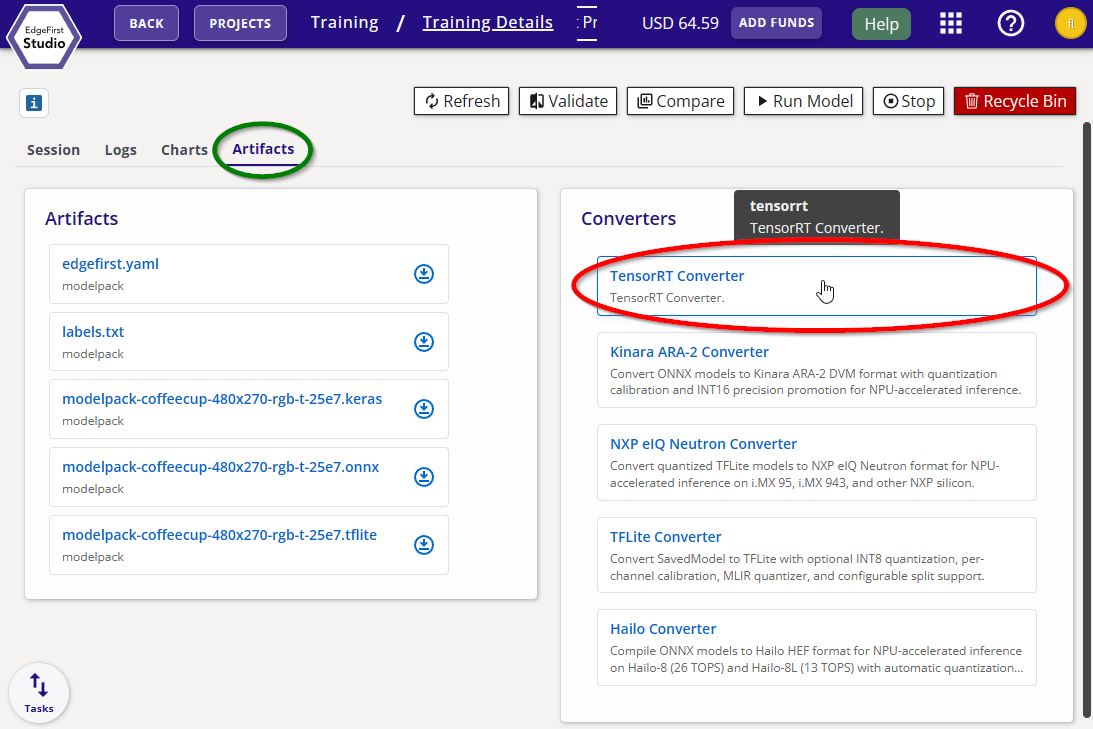
TensorRT Converter -
Click Start App to begin the conversion. The launch form has no settings — the output is a portable bundle, not a final engine.
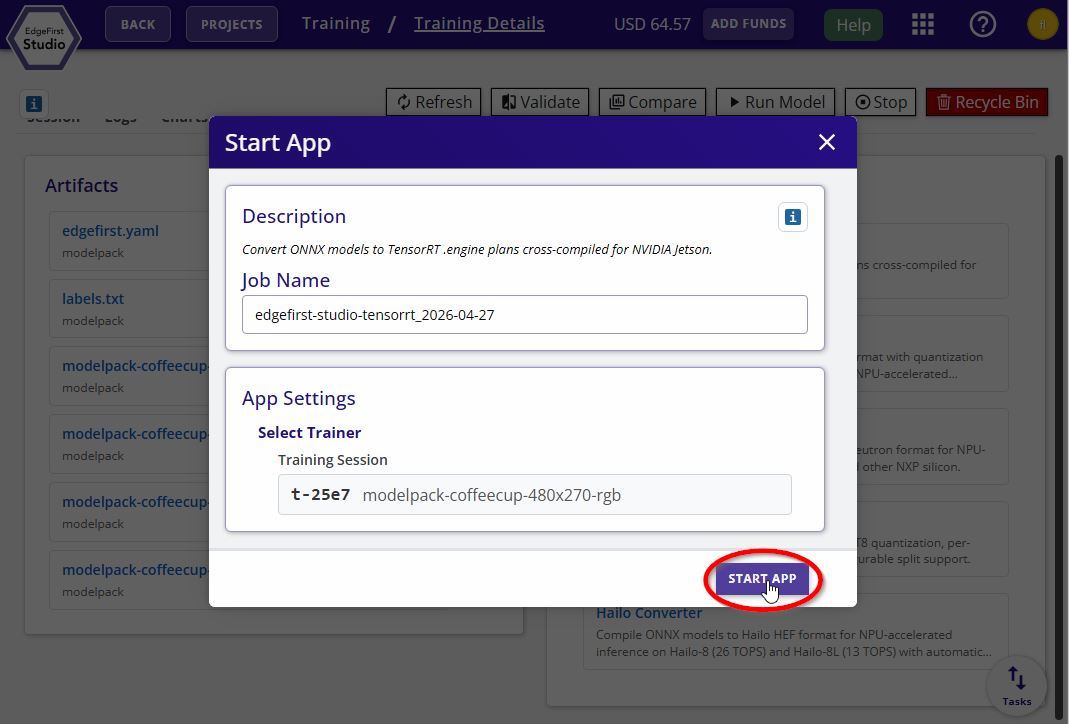
TensorRT Converter Options -
Download the resulting
<model>.tensorrt.zipbundle from the session's Artifacts tab.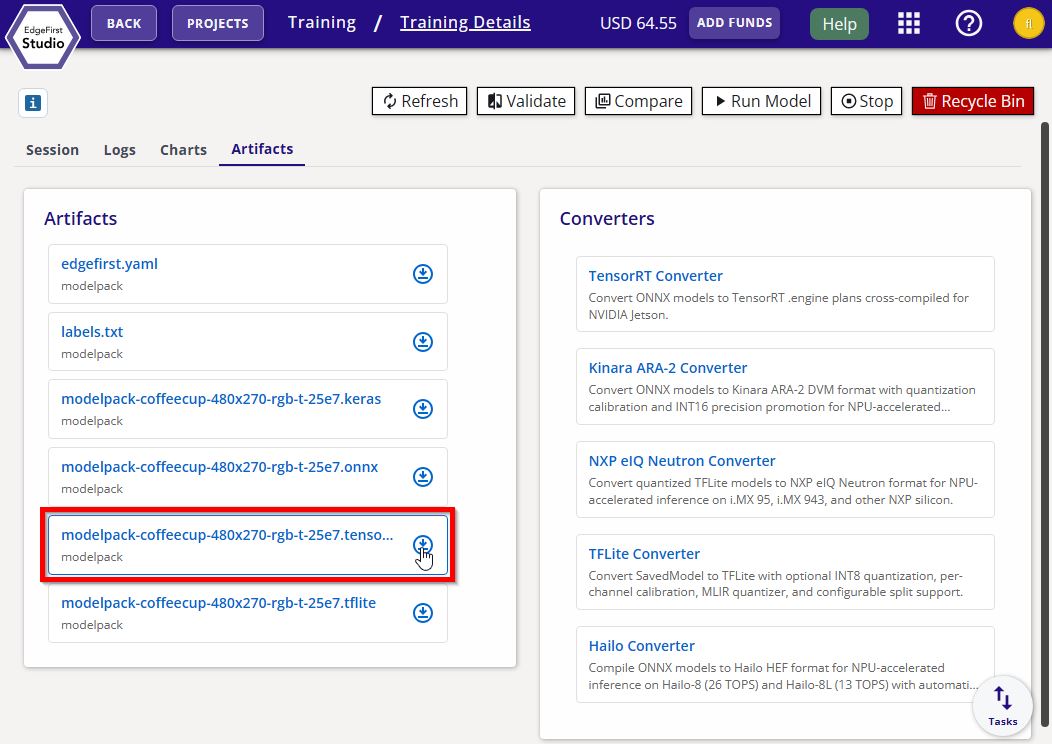
TensorRT Converter Bundle -
Copy the bundle to the Jetson via SCP:
scp <model>.tensorrt.zip username@hostname:~/ -
On the Jetson, unzip the bundle into a folder:
unzip -d <model>/ <model>.tensorrt.zip -
Enter the extracted folder:
cd <model>/Prerequisites
Steps a and b ensure the required binaries are on
PATH. Steps c and d authenticate the--publishupload to EdgeFirst Studio.-
Ensure the
trtexecbinary is onPATH:$ export PATH=$PATH:/usr/src/tensorrt/bin -
Ensure
jqis installed:$ sudo apt install -y jq -
Install the edgefirst-client package:
$ pip3 install edgefirst-client -
Log in to EdgeFirst Studio:
$ edgefirst-client login
-
-
Compile the bundle into a TensorRT engine with
--publishto push the sealed artifact back to EdgeFirst Studio.Run the build:
./build.sh fp16 --publishThe script verifies
trtexec,jq, andpython3are onPATH(all default on JetPack 6.2), then:- Calls
trtexec --onnx=model.onnx --fp16 --saveEngine=<name>.fp16.engine. - Updates
edgefirst.jsonwith on-target build values viajq(precision, enginesha256, build timestamp, on-device TRT version, builder flags). - ZIP-appends
edgefirst.jsonandlabels.txtto the engine using Python'szipfilemodule. - If
--publishis set, uploads the sealed engine to Studio viaedgefirst-client upload-artifact. See the edgefirst-client page for more.
The output is a sealed
.fp16.enginewith metadata readable by any ZIP reader; the TensorRT deserializer ignores trailing bytes. - Calls
-
The compiled
<model>.fp16.engineis now ready to deploy. The artifact is also available in the Studio session for re-download to other compatible devices. Verify the engine loads successfully with:trtexec --loadEngine=<model>.fp16.engine --iterations=100
Supported Targets
The TensorRT Converter is currently validated on the Jetson Orin Nano Super 8GB with JetPack 6.2 (TensorRT 10.3.0.30, CUDA 12.6.68, compute capability SM 8.7). Other Jetson variants (Orin Nano 4GB, Orin NX, AGX Orin) are in progress pending hardware validation.
Known Limitations
- INT8 is not currently supported. TensorRT 10.3's fused Conv+SiLU operator used in YOLO heads has no INT8 implementation in this release, even with FP16 fallback. INT8 on Jetson is tracked as future work.
- Engines are device-specific. A
.fp16.enginebuilt on one Jetson cannot be moved to a different Jetson variant or a different JetPack release; the engine must be rebuilt from the bundle on each target.