Profiler Workflow
Coming Soon
This workflow is currently under development and will be available in a future release.
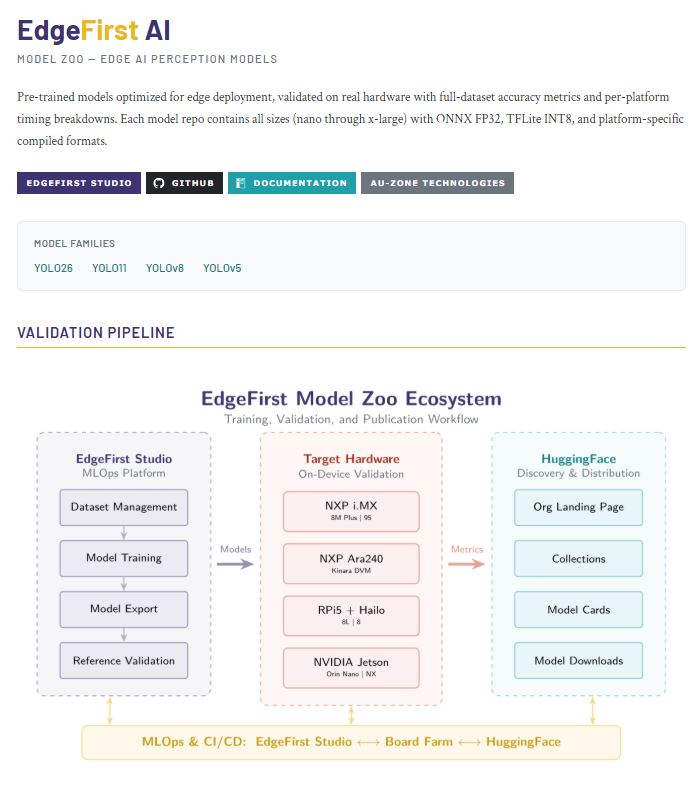
In this workflow, explore the EdgeFirst Model Zoo on Hugging Face and see how EdgeFirst Studio turns those benchmarks into deployable results — no training required. This is the fastest way to understand what EdgeFirst supports, how models perform, and what runs on your target hardware.
Explore the EdgeFirst Model Zoo
Open the EdgeFirst Model Zoo and look for the capabilities that matter most to your deployment:
- Supported tasks: Detection, segmentation, classification, and fusion workflows are called out clearly so you can match the model to your use case.
- Sensor coverage: Vision-only and multi-sensor models (for example, camera + radar) show how far the platform goes beyond standard CV.
- Model families and sizes: Lightweight and edge-ready variants make it easy to spot what will fit your power and latency budget.
- Performance metrics: Accuracy and throughput summaries are eye-catching because they surface the real tradeoff: speed on-device versus quality.
- Export readiness: ONNX and other portable artifacts signal how quickly a model can move from demo to deployment.
Review Studio Sessions
After exploring the Model Zoo, review training and validation sessions in EdgeFirst Studio to see those benchmarks in action. Focus on model names, dataset lineage, and validation results to understand how quickly you can reach a production-ready deployment.
Next Steps
Ready to retrain and compare your own results against the Model Zoo? Follow the Profiler+ Workflow.