Billing Information
This page will describe the billing information that is subjected to the user's organization. Prior to reading the contents in this page, it is recommended to be familiar with the Organization Management. A trial user (Public Tier) is given 50.00 USD worth of credits to experience the features in EdgeFirst Studio. However, for multi-user tiers, the credits in the organization will be shared amongst the members.
Usage & Billing
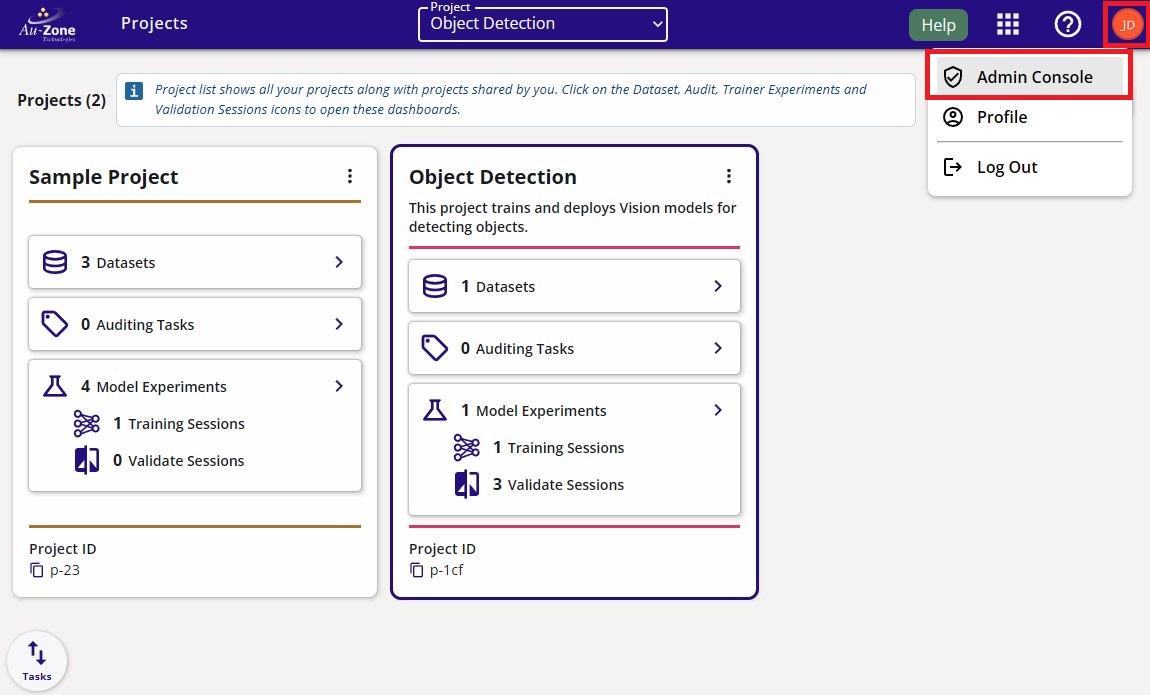
You can find the details on the remaining funds and the cost breakdown in your organization by visiting the "Usage & Billing" page. To navigate to this page, click on the "User" button that is found on the top right of the navigation bar as shown below. You will see three different options, click on the "Admin Console" button.
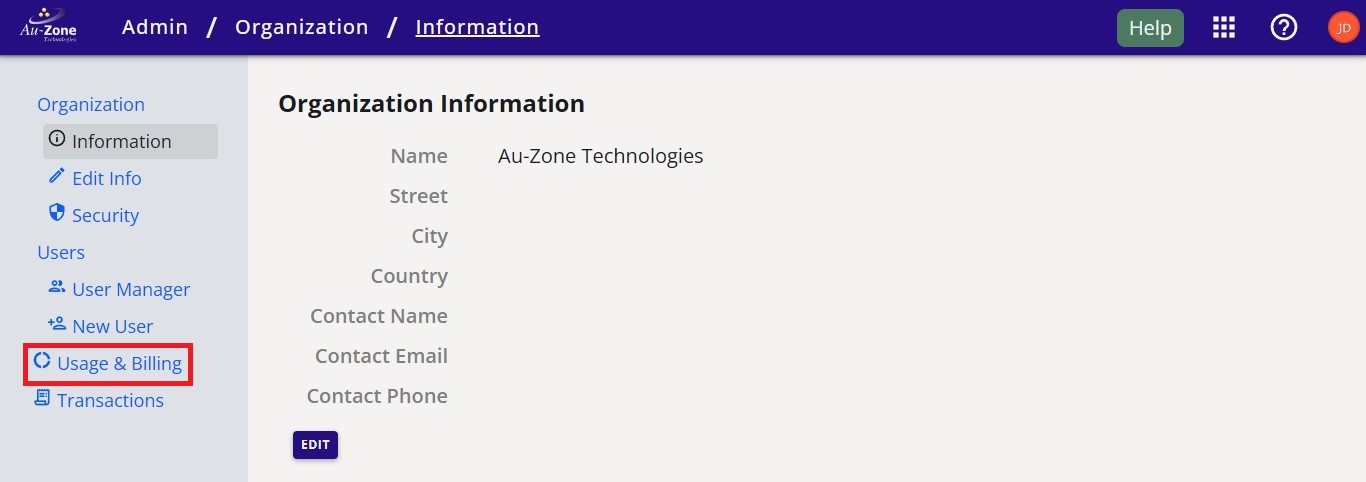
This will navigate you to the "Organization Information" page. Click on the "Billing" button as indicated in red below.
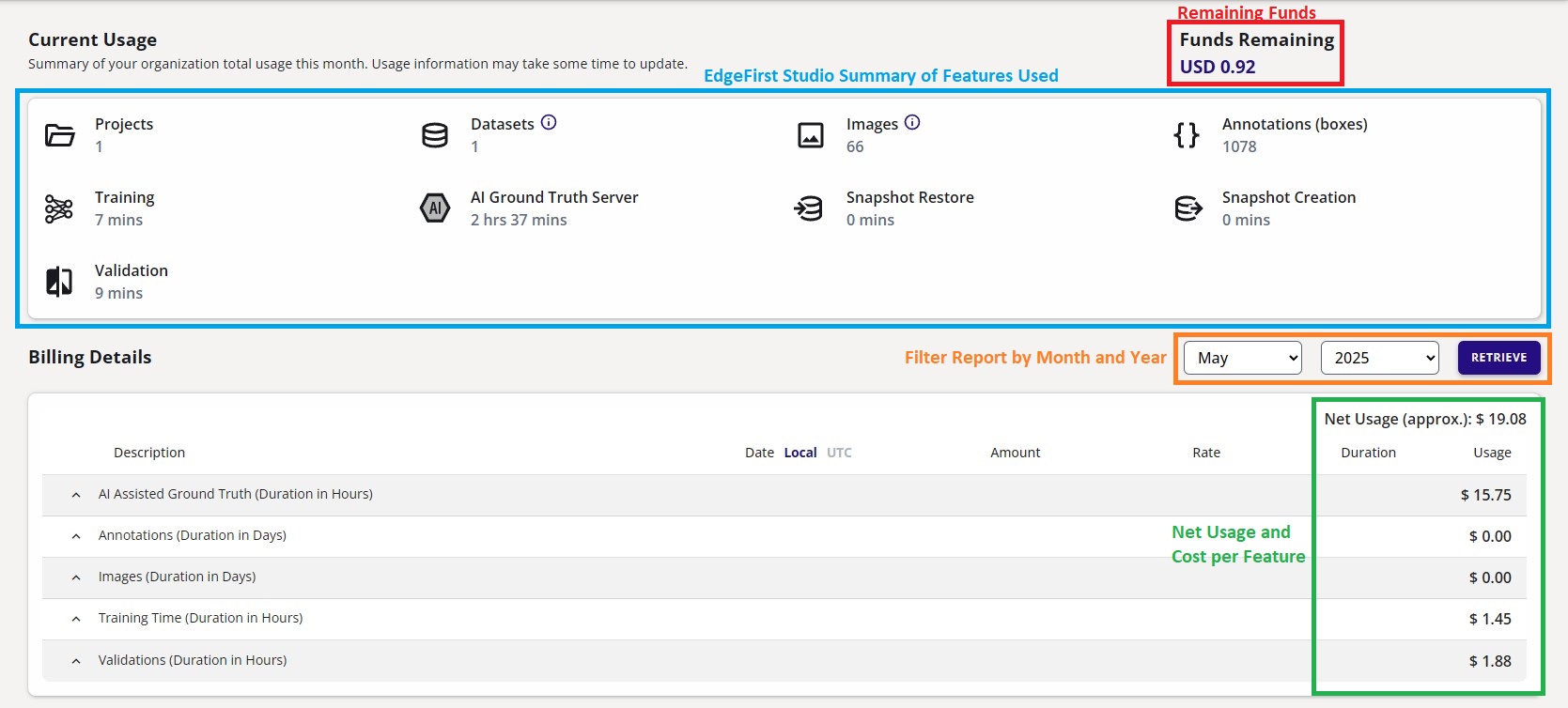
This page may take some time to load. Once the page loads, it will display the Monthly Bill for your organization as shown below. Use the month and year selectors at the top of the page to choose a billing period, then click Retrieve to load the usage for that period. The bill groups usage by feature category — such as AIGT Time, Converter, Exporter, Training Time, and Validation Time — and reports the approximate Net Usage at the top right alongside a Grand Total at the bottom. The next sections will break down the components of this page in more detail.
Remaining Funds
Initially, for free trial users the remaining funds will show as "USD 50.00". As you use EdgeFirst Studio such as importing datasets you will incur storage costs or deploying training and validation will incur server costs, and then you will see that these remaining funds will be deducted. Once the remaining funds depletes, you will no longer be able to use any features in EdgeFirst Studio and your datasets will be parked, training and validation sessions will be paused or terminated. It is recommended to always check the remaining funds in your organization before running experiments to ensure you have enough funds to support the cost of those experiments. The cost of the features in EdgeFirst Studio will be discussed in more detail in the section below. For options to add more funds into your organization, please reach out and email our support team.
Features and Associated Costs
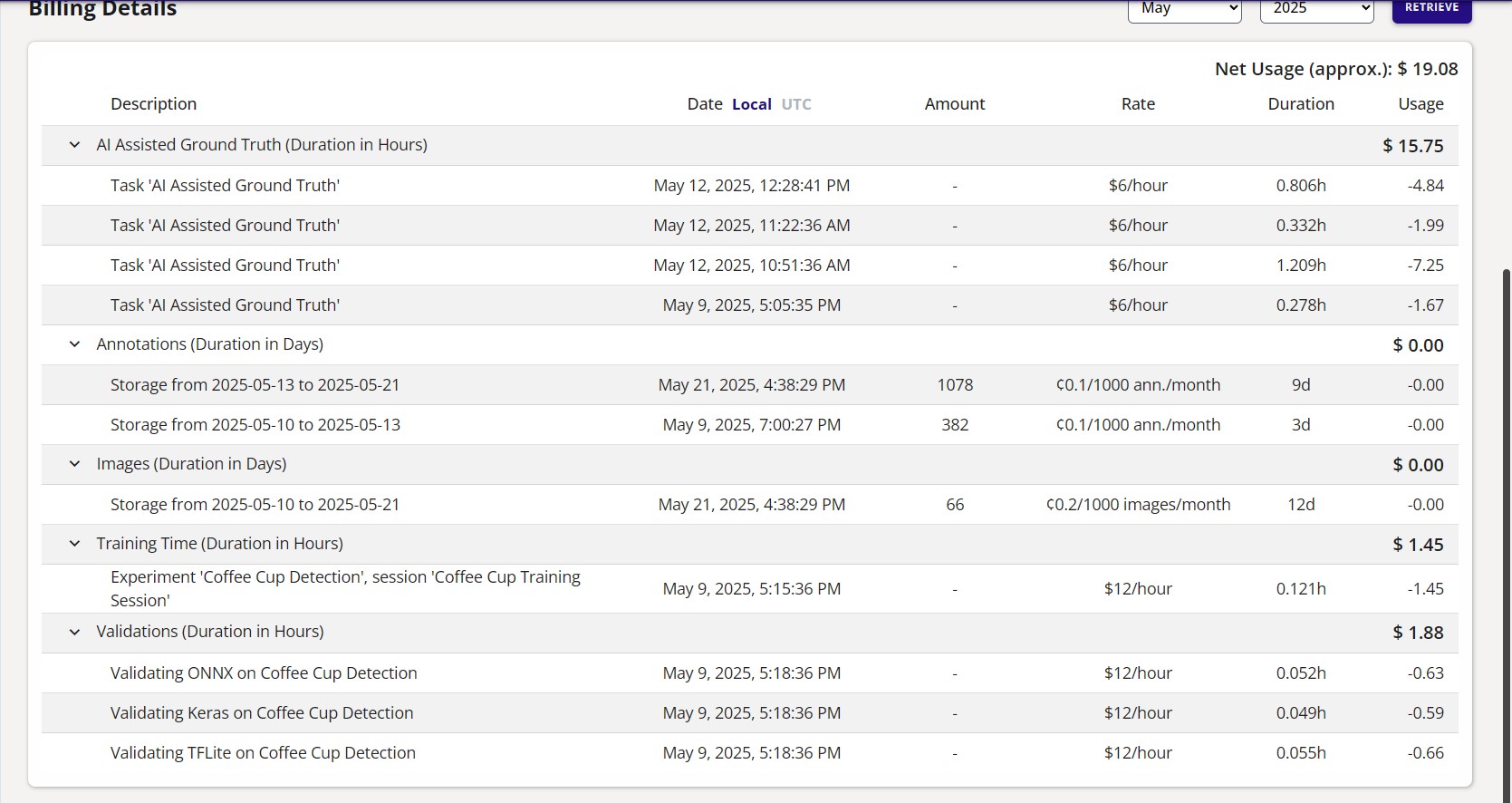
Each feature category in the Monthly Bill can be expanded to reveal the individual line items that make up its total. Every line item lists its Description, the Date it was incurred, the Rate applied (for example, $12/hour for Training and Validation), the Duration in hours, and two cost columns:
- Cost — the gross cost of the usage, calculated from its rate and duration.
- Charge — the net amount actually billed to your organization after any free credits or promotions are applied. A line item may show a non-zero Cost but a Charge of $0.00 when it is fully covered by credits.
The Grand Total row at the bottom of the bill sums the total billed duration together with the overall Cost and Charge for the selected period.
Transactions
The "Transactions" page will show your purchases or the amount of credits allocated to your organization. This page can be accessed by clicking on the "Transactions" button as shown below.
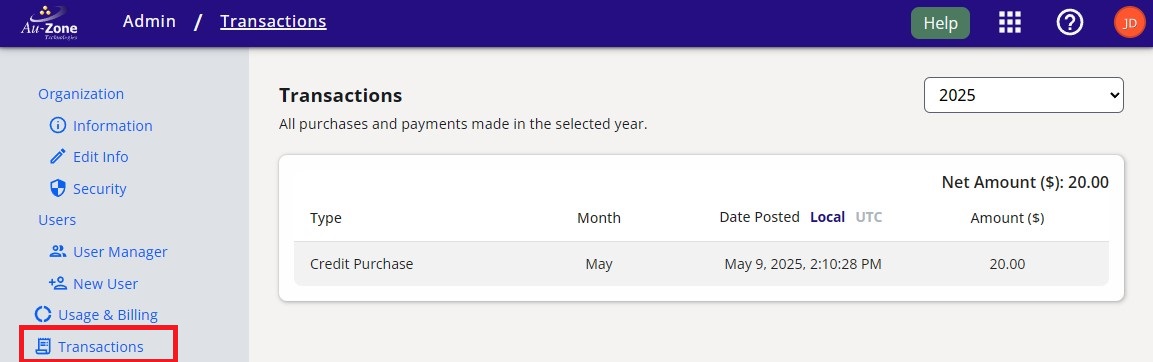
Since this is a trial account, the only transaction shown is the 50.00 USD credits allocated to my organization upon sign up.
Next Steps
This page has described billing information and the cost of each feature in EdgeFirst Studio. Next we invite you to learn more about managing your projects in EdgeFirst Studio.