Dataset History
The Dataset History page provides an audit trail of a dataset through the Change Log, which records modifications made to the dataset's contents over time.
To access this page, open a dataset and click the History button in the dataset toolbar.
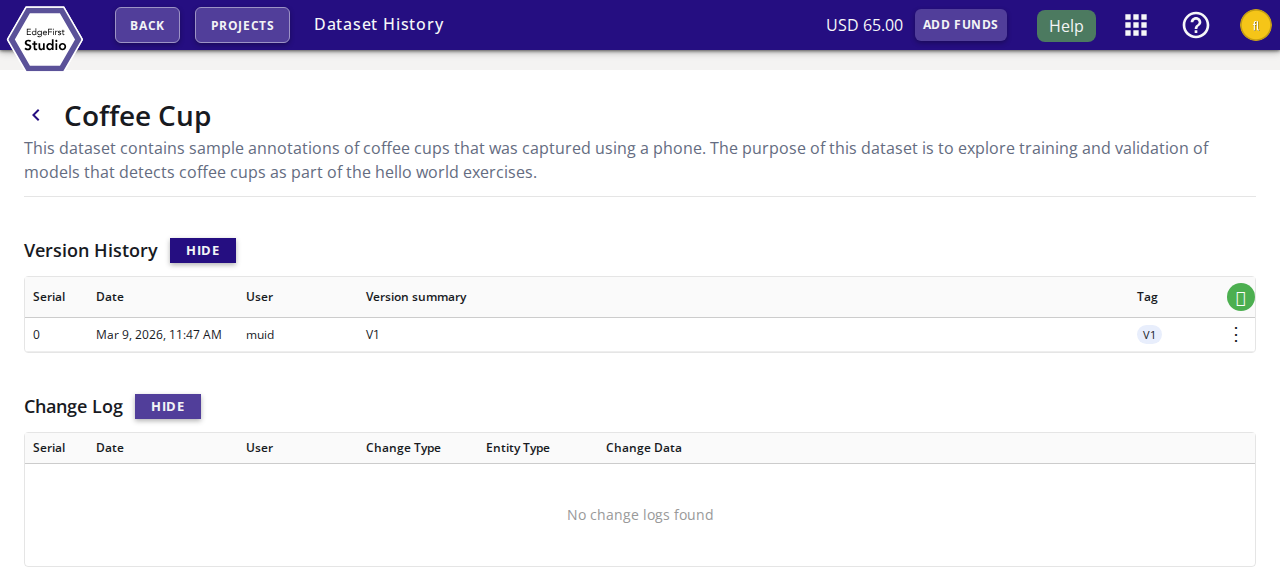
Change Log
The Change Log table records every individual change event applied to the dataset, regardless of whether it was tagged as a version. This provides a fine-grained audit trail of who changed what and when.
| Column | Description |
|---|---|
| Serial | Sequential event index. |
| Date | When the change occurred. |
| User | The user who made the change. |
| Change Type | The type of operation (e.g. create, update, delete). |
| Entity Type | The kind of object that was modified (e.g. annotation, image). |
| Change Data | A summary of the specific data that was changed. |
Next Steps
See how datasets are preserved as snapshots which can either be restored back into a dataset in Studio or downloaded into your local machine using our proprietary EdgeFirst Dataset format.