Create Project
If you haven't already created your own project in EdgeFirst Studio, create your project by following these steps. If you already have a project, proceed to the next stage of restoring your MCAP into a dataset.
-
Click the "PROJECTS" button shown on the top navbar as highlighted below.
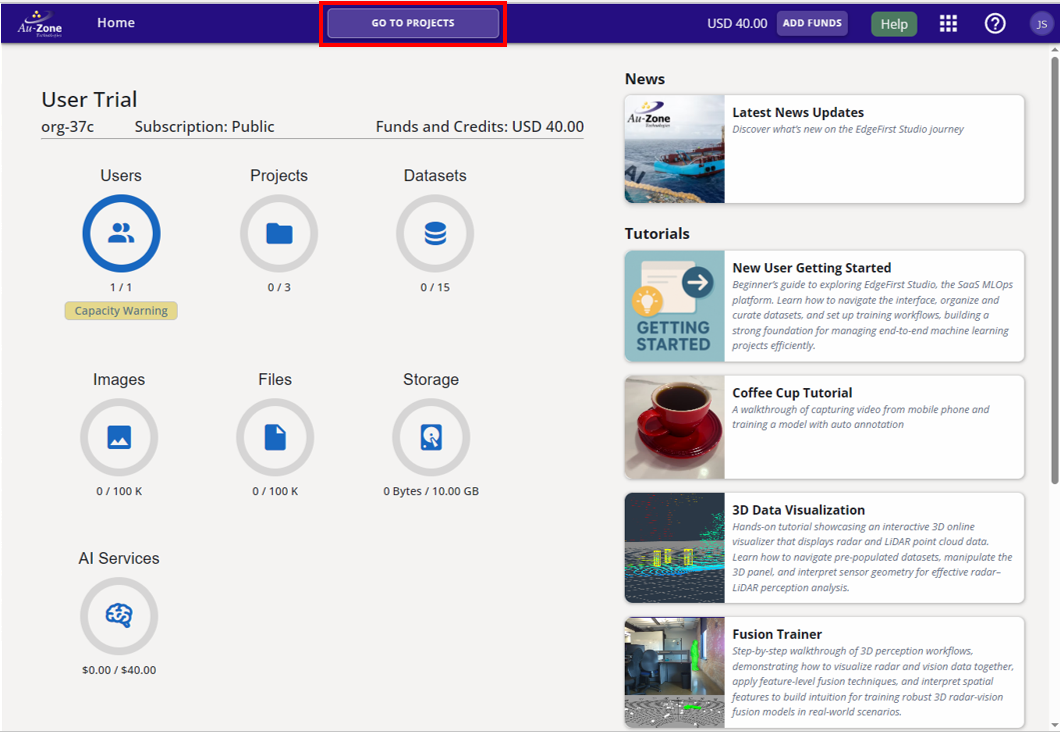
Go To Projects -
Create your project by clicking the "New Project" button on the top-right corner of the page.
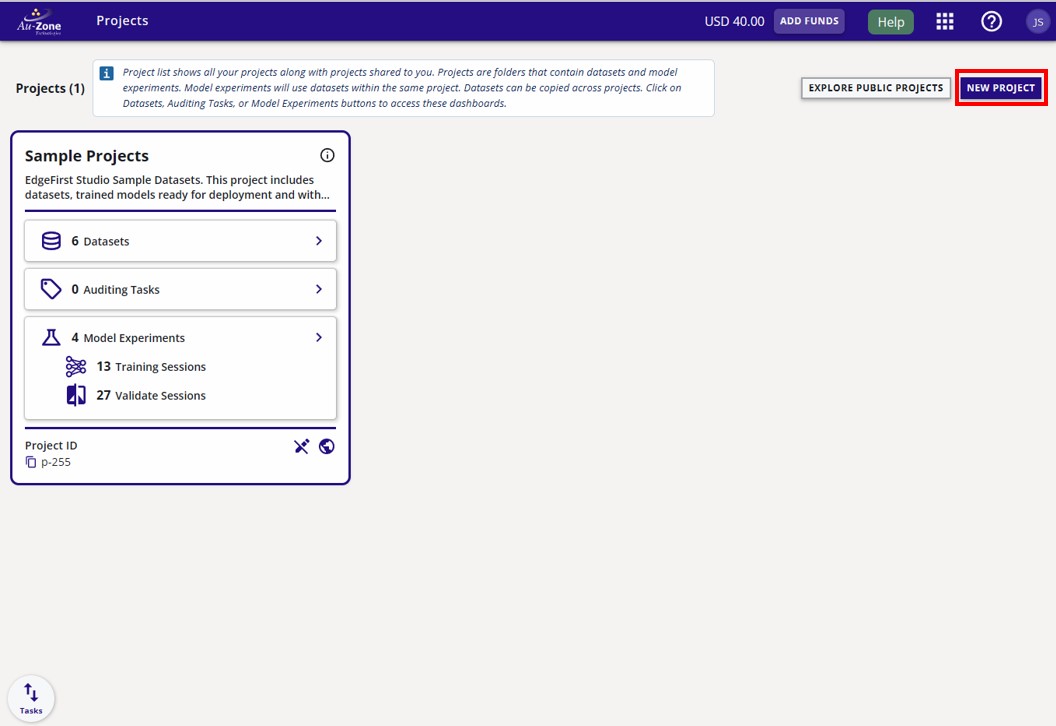
Create Project -
Provide a name and description of the project and then click "Create" to create your project.
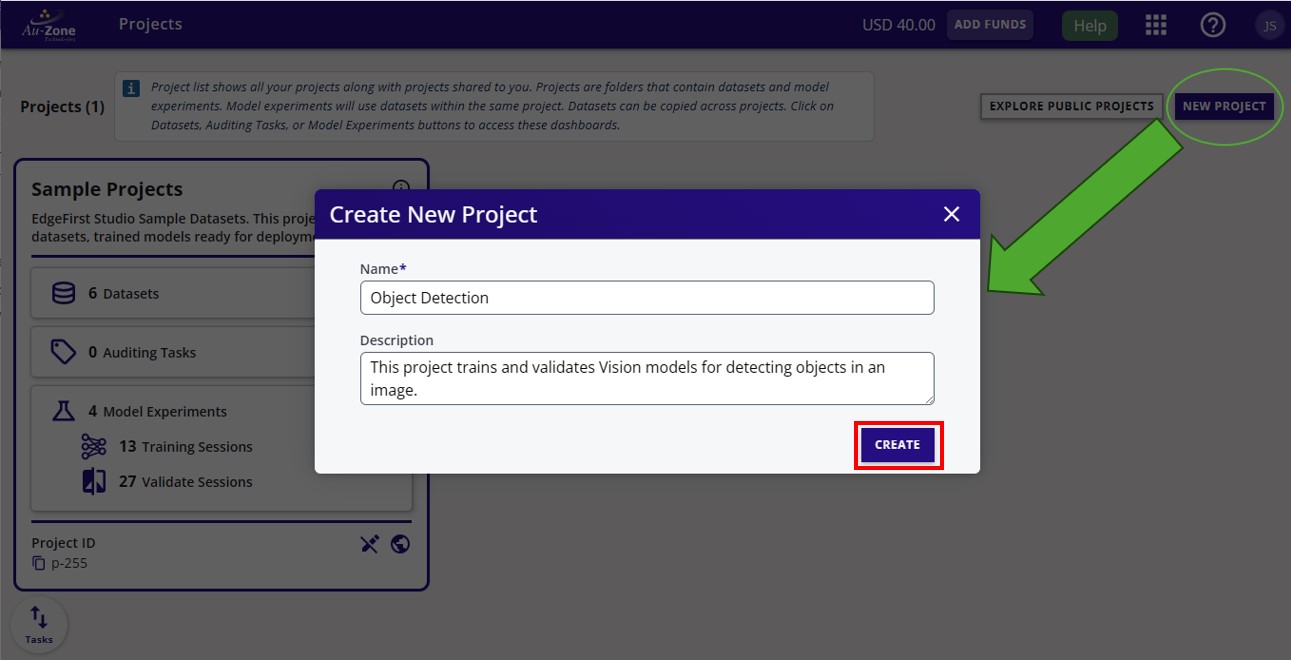
Project Details -
Your created project will now appear in the page.
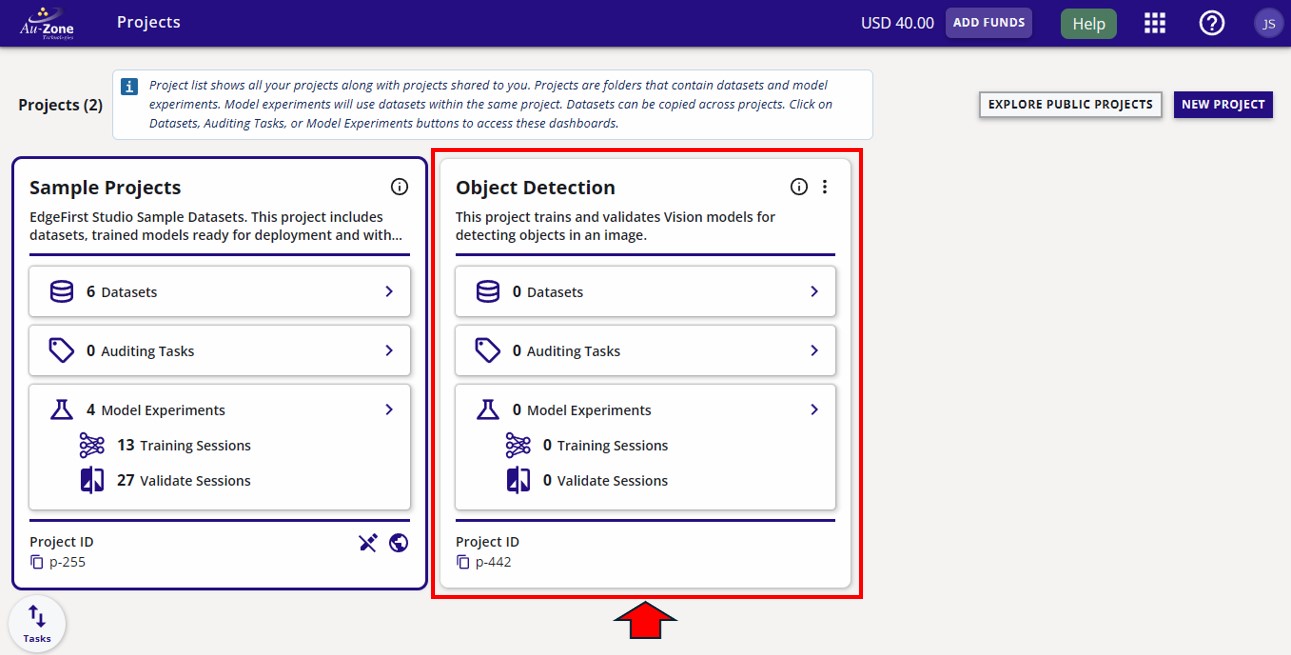
New Project
Next Steps
Now that you have your own project in EdgeFirst Studio, you can restore your MCAP into a dataset held inside your created project.