Maivin Quick Start
Introduction
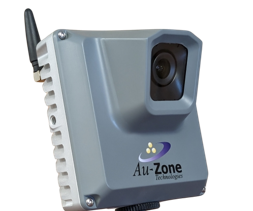
The Maivin configuration is a vision-only platform that provides a vision-based perception stack for use in harsh environments, providing an IP66/67 waterproof enclosure and connectors. The Maivin platform is built on the NXP i.MX 8M Plus processor which includes a 2 TOPS AI accelerator. The EdgeFirst Perception Middleware leverages the AI-accelerator enabling this vision sensor to be deployed in the field to deliver real-time edge perception applications.
System Overview
The Maivin runs a Linux operating system based on Toradex's Torizon OS 7, we refer to the operating system as Torizon for Maivin. The operating system packages include common libraries and tools you would expect to find on a typical embedded Linux operating system focused on computer vision and AI (Python, OpenCV, GStreamer, etc...) along with the Docker container engine for user applications. Refer to the Release Notes for the versions included in the current release and to Software Updates for keeping the platform up to date.
Central to the EdgeFirst Platforms is the EdgeFirst Perception Middleware, what we call our collection of applications and libraries used in the implementation of the perception stack. On the Maivin these applications run natively as systemd services with direct access to the ISP, NPU, and video codec hardware. The camera, model, IMU, GPS, and web services are pre-configured and running at first boot, while the radar, LiDAR, fusion, and recording services are installed but only enabled when required. The details of the low-level libraries are covered in the EdgeFirst Perception Developer Guide, for this document we focus on describing the application services and how they fit together to deliver the perception middleware.
Quick Start Overview
In this Quick Start, you will find instructions for:
- Setting up your Maivin
- Visiting the Maivin's Web UI
- Recording an MCAP using the Maivin
- Uploading the MCAP to EdgeFirst Studio
- Creating a project in EdgeFirst Studio
- Restoring an MCAP into a Dataset
- Split and Tag the Restored Dataset for Training
- Training Vision Model
- Validating Vision Model
- Deploying Vision Model
Each page links to the next, so you can also just start with Setup and follow the trail through to deployment. For a tour of the device's main page, see the Web UI Walkthrough.