phyFLEX-i.MX 95 Libra Setup Guide
This guide walks you through how to flash the BSP for the phyFLEX-i.MX95 Libra development kit. You can also find the official setup guide provided by PHYTEC.
Please use the following images when the various ports are referenced throughout this guide.
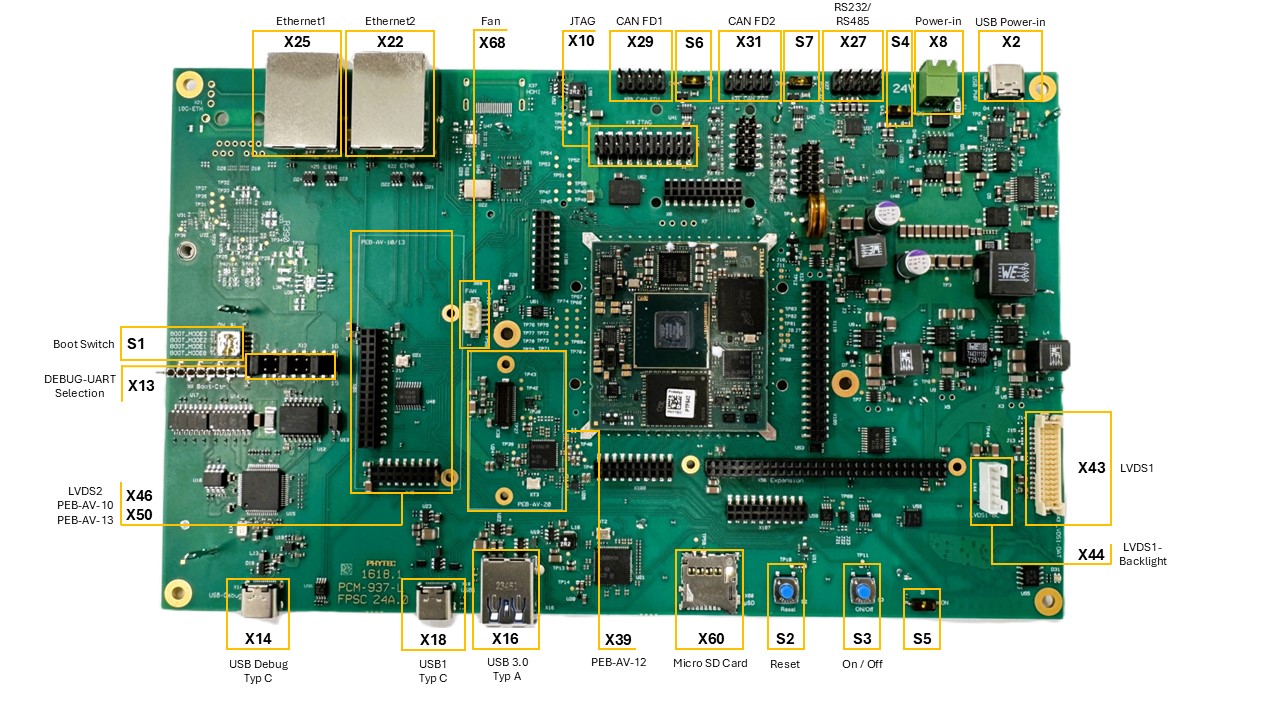
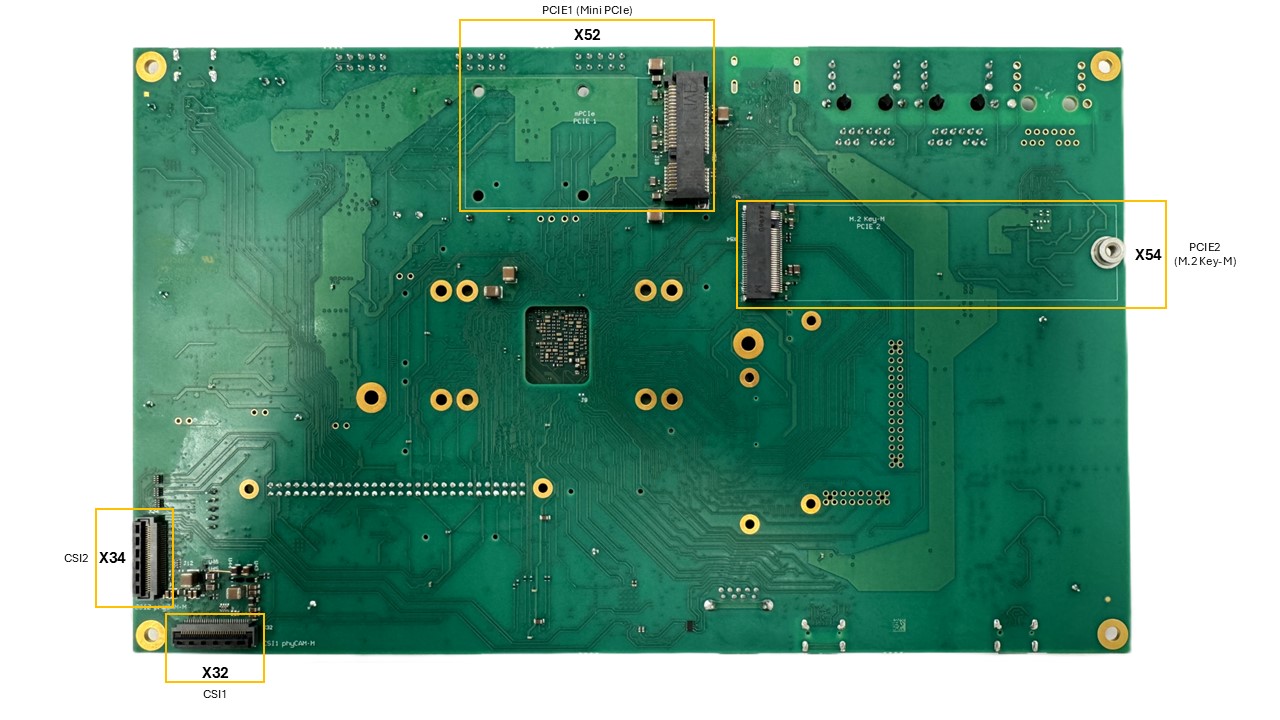
Flash a microSD card with the phytec-vision-image
-
Using a Linux machine, fetch the BSP from PHYTEC's download page
wget https://download.phytec.de/Software/Linux/BSP-Yocto-i.MX95/BSP-Yocto-NXP-i.MX95-ALPHA2/images/ampliphy-vendor/imx95-phyflex-libra-rdk-2/phytec-vision-image-imx95-phyflex-libra-rdk-2.rootfs.wic.xz -
Flash the SD card using the following command
Data Loss
Be very careful when specifying the SD card device. Specifying the wrong device can cause data loss. Find your SD card's block-device path using
lsblk.Replace
/dev/sdXwith the correct block-device path for your system.xzcat phytec-vision-image-imx95-phyflex-libra-rdk-2.rootfs.wic.xz | sudo dd of=/dev/sdX bs=4M status=progress && sync
Connect to the device
-
To boot from the SD card set the bootmode switches (S1) to the following position
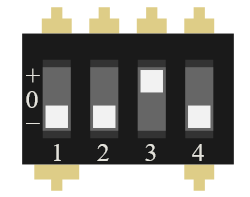
SD Boot Mode -
Use X14 (Debug) USB-C port to connect your host PC to the board via Serial using the baudrate 115200
PuTTY
You can use PuTTY to access the board's serial monitor.
-
Provide power to the board by attaching the power supply to the X8 port of the board
Next Steps
Now that you have set up your phyFLEX-i.MX 95 Libra, you can use the board to start capturing videos and images for your dataset.