Deploy Vision Model
You can deploy your model using Studio Runner - a Python implementation that demonstrates reading from the camera, run model inference, and displays the model outputs in the monitor.
- Download the Studio Runner Python Wheel
- If you don't already have a model, you can download this sample model to run this example
-
SCP both the wheel and the model to the i.MX 8M Plus
scp studio_runner_py-0.0.0-py3-none-any.whl root@<ip address>:~/ scp coffeecup-yolov8n-segmentation-rgb-640x640-t-266e_quant-u8-i8.tflite root@<ip address>:~/ -
On device, create and activate a Python Virtual Environment
# python3 -m venv venv --system-site-packages # source venv/bin/activate # pip install --upgrade pip -
Install the Studio Runner wheel; also install the EdgeFirst Profiler for on-target validation alongside it
# pip install studio_runner_py-0.0.0-py3-none-any.whl # pip install edgefirst-profiler -
Run the program on target
# studio-runner-py coffeecup-yolov8n-segmentation-rgb-640x640-t-266e_quant-u8-i8.tfliteYou should see the following display appear on your monitor. This model should be able to segment coffee cups in the frame.
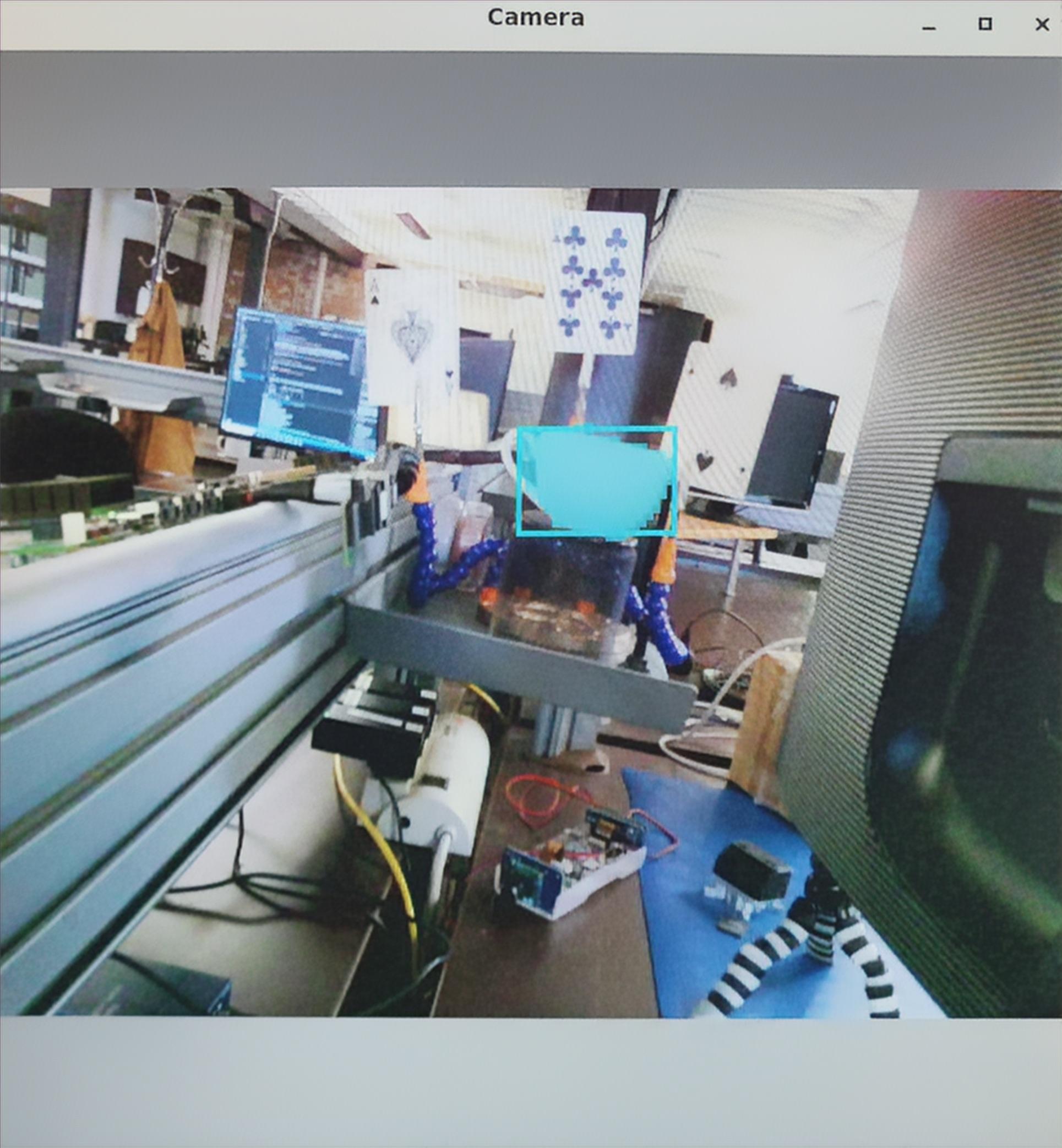
Sample Coffee Cup Detection
Official Deployment Applications
Official native deployment applications are still under development. These instructions are provided to give users starting examples for running the model using Python.
For more deployment examples, you can deploy your model directly from your phone’s browser using EdgeFirst Studio.