Ultralytics
The EdgeFirst Studio Model Zoo includes the Ultralytics YOLO which is a popular implementation of the ubiquitous YOLO architecture for one-shot detection models, and capable of being applied to various other tasks such as instance segmentation. This document describes the integration into EdgeFirst Studio, supported features, and optimized deployment strategies. For further details of the Ultralytics implementation of the YOLO architecture, please refer to their documentation.
Info
EdgeFirst Studio uses the EdgeFirst fork of Ultralytics available at github.com/EdgeFirstAI/ultralytics (branch: edgefirst), which includes Camera Adaptor integration for native camera format support during training.
Our Model Zoo ecosystem provides a collection of models to be re-trained through EdgeFirst Studio and deployed to a wide range of devices using a consistent workflow to achieve the best performance and latency at the edge.
Getting Started
YOLOv5, YOLOv8, YOLO11, and YOLO26 can be trained in EdgeFirst Studio using a Graphical User Interface by following four simple steps:
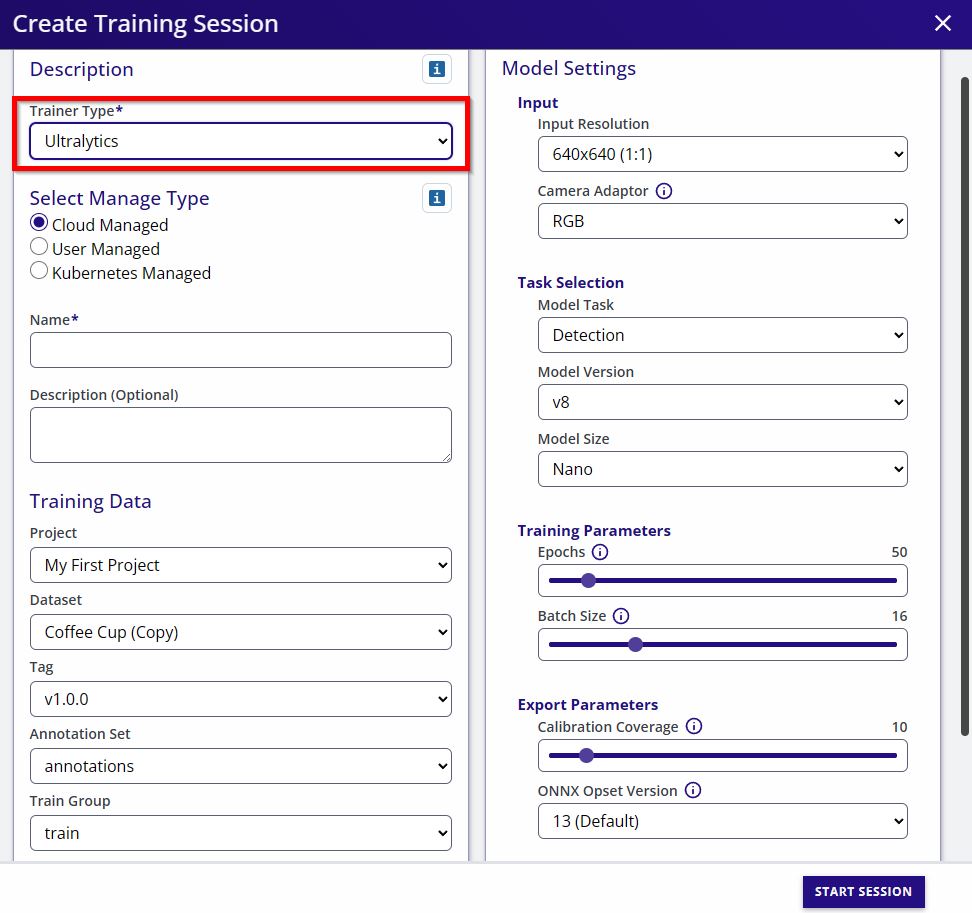
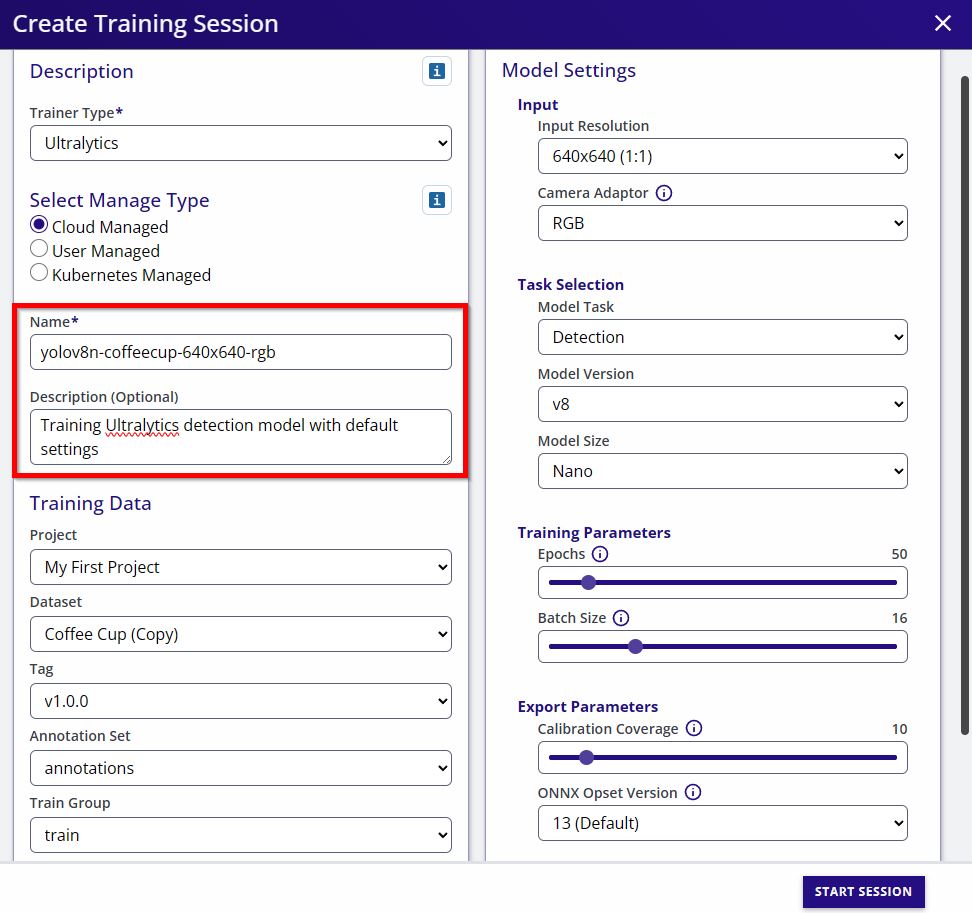
- Set a name and description (optional) for the training session.
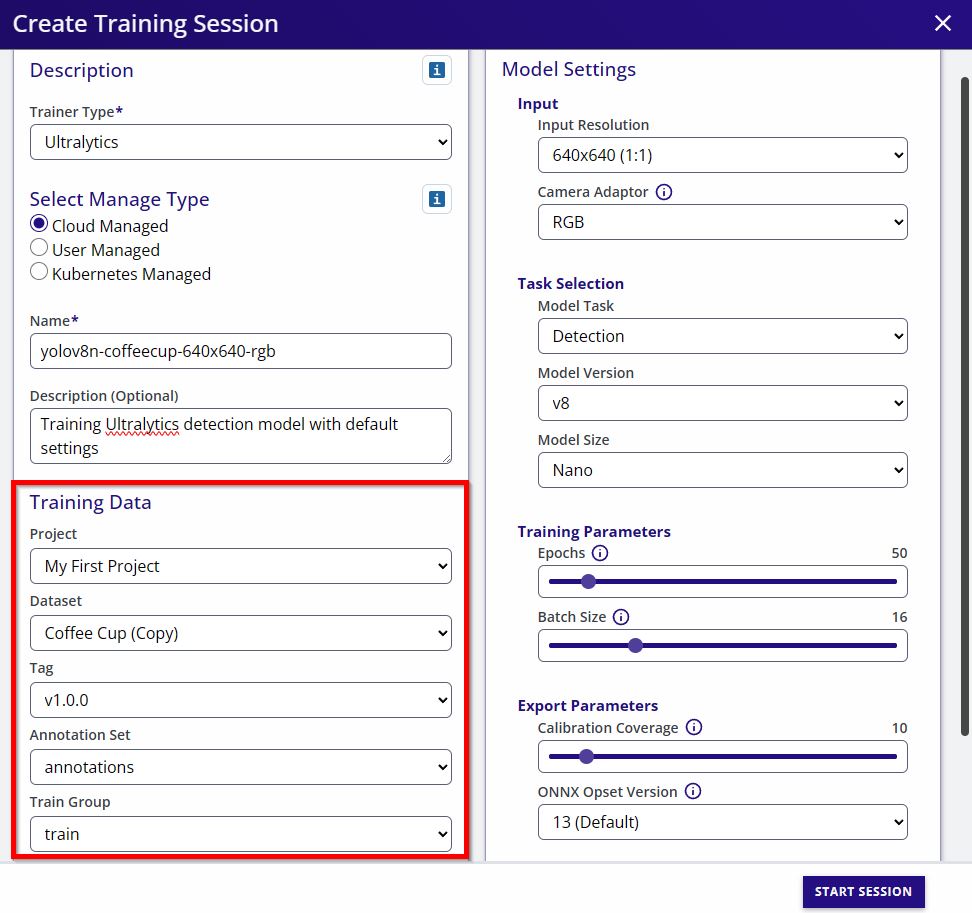
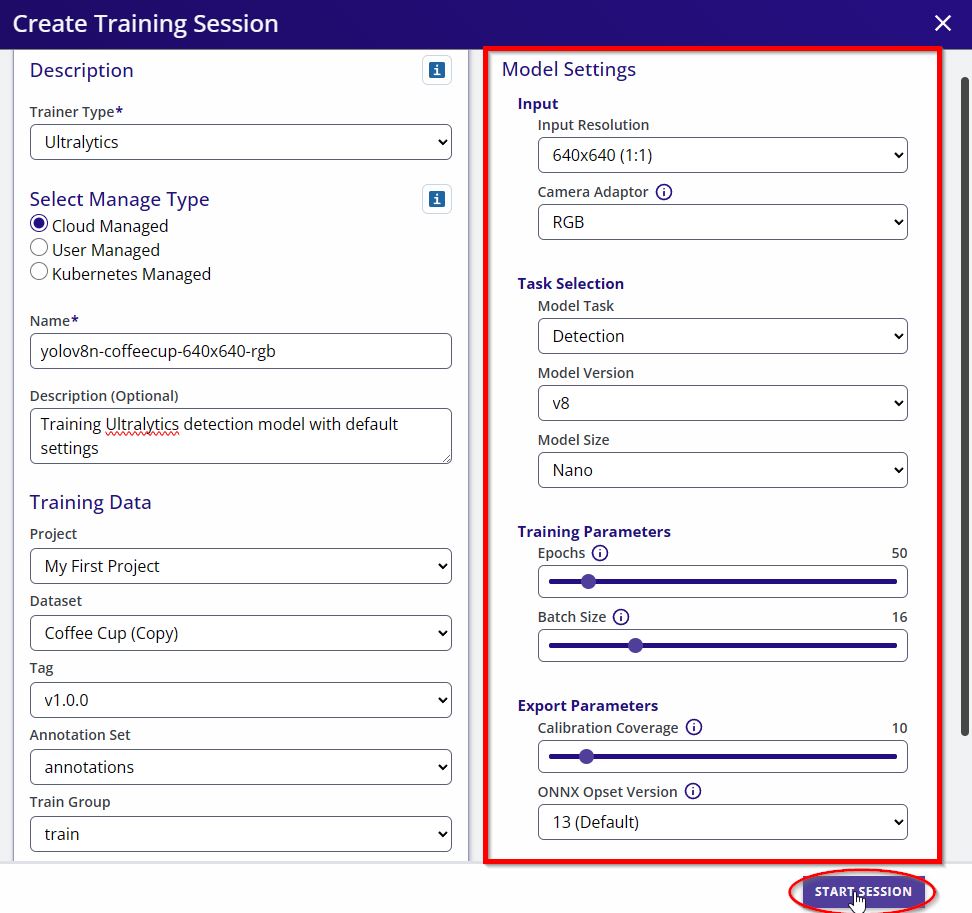
- Configure model parameters (architecture, input size, epochs, etc.) and start Training.
- Model Name: This field specifies the name of the training session and will be used to name the artifacts (e.g.
yolov8n-coffecup-640x640-rgb-t-<session ID>.tfliteoryolov8n-coffecup-640x640-rgb-t-<session ID>.onnx). - Description: This field is used to add some hints about the training session. Commonly used to highlight some parameters
- Training Data: In this section the user must select the dataset as well as train/val groups
- Input Resolution: The user can pick predefined input resolutions. In case you need a different resolution to be supported, please reach out and email our support team
- Camera Adaptor: Ultralytics accepts six different input optimizations. It could be either of RGB, BGR, RGBA, BGRA, Greyscale, or YUYV
-
Model Parameters: This section configures the model architecture
- Model Task: This can be either "Detection" or "Segmentation". Note for Ultralytics segmentation refers to instance segmentation
- Model Version: The Ultralytics version to train from the choices (v5, v8, v11, v26)
- Model Size: The size of the model from the choices (Nano, Small, Medium, Large, XLarge)
-
Training Parameters: In this section the user is able to specify the number of epochs to train the model as well as the batch size. Remember the larger the input resolution the smaller the batch size
-
Enable Training: When enabled, the model is trained using the selected weights. When disabled (default), no training is performed — weights are pushed directly to the session artifacts. This default exists because full COCO training runs for Ultralytics are compute-intensive; EdgeFirst publishes vetted pre-trained weights so you can start quickly without a long training job. See the behavior matrix for all combinations.
No Training Charts
Training sessions with Enable Training disabled will not generate loss or metric charts, since the chart x-axis is epoch-based. This is expected behavior.
-
Use Default Weights: When enabled (default), training starts from pre-trained COCO weights. When disabled, starting weights are sourced from a prior training session you specify
-
-
Export Parameters: Allow the user to set a portion of data for calibration when exporting the model for INT8 quantization. This section also allow the user to set the ONNX opset version
- Export Pretrained Weights: A checkbox to export the default pretrained weights from Ultralytics
- Start Session: This button will start the training session
Important
Datasets and default weights are handled internally by EdgeFirst Studio. There's no need to migrate or store data locally.
Supported Versions
EdgeFirst Studio supports the following Ultralytics YOLO versions:
| Version | Architecture | Key Features |
|---|---|---|
| YOLOv5 | C3 backbone | Classic anchor-based detection |
| YOLOv8 | C2f backbone | Anchor-free detection with DFL |
| YOLO11 | C3k2, C2PSA | Efficient architecture with depthwise convolutions |
| YOLO26 | C3k2, A2C2f | Latest architecture with area-attention |
All versions share the same anchor-free Detect head and use the same decoder at inference time. See Model Metadata for details on how the decoder works across versions.
Camera Adaptor
The Camera Adaptor dropdown is available when configuring a training session, allowing you to select the target camera format for your deployment platform. This trains the model to accept native camera output (BGR, RGBA, YUYV, etc.) without runtime conversion.
See Camera Adaptor for details on supported formats and platform guidance.
Custom Models
If you have a custom float model, it is highly recommended to export to a quantized model to deploy and maximize the model's performance using the target's NPU.
Deploying a quantized TFLite on the i.MX 95 EVK requires an extra step of converting the model using NXP's eIQ neutron converter. This will allow the model to be deployed on the i.MX 95 using the Neutron delegate in the platform.
Specific BSP versions required
The latest BSP available for the Maivin lacks the onnxruntime library needed to run ONNX on the NPU.
On the i.MX 8M Plus EVK, BSP v5.15 are used in the examples which was noted to have the providers needed for ONNX to run on the NPU NnapiExecutionProvider, VsiNpuExecutionProvider. Later BSPs such as v6.12 did not have these providers. This still needs confirmation from NXP as to why these providers were removed.
License
Ultralytics YOLO is covered by the GNU AGPL-3.0 license which allows for free use of this model within the constraints of the license. Ultralytics offers commercial licensing options.