Connecting to EdgeFirst Studio
The profiler talks to EdgeFirst Studio over JSON-RPC using the edgefirst-client SDK that ships embedded in the profiler binary — there is no separate edgefirst-client install required. Credentials are stored in ~/.config/edgefirststudio/token and remain valid for roughly 12 hours, refreshed automatically whenever a request succeeds.
Interactive login (CLI)
edgefirst-profiler login
The login command prompts for server, username, and password in turn. Server values:
| Value | URL |
|---|---|
saas (default) |
https://edgefirst.studio |
stage |
https://stage.edgefirst.studio |
test |
https://test.edgefirst.studio |
Pass any of the three as a single flag if you want to skip the server prompt:
edgefirst-profiler login --server test
Headless / scripted login
Every login field is also available as a command-line flag and an environment variable. The environment variables are the recommended path for CI:
export STUDIO_SERVER=test
export STUDIO_USERNAME=ci-bot
export STUDIO_PASSWORD=...        # use a CI secret store
edgefirst-profiler login
The flags take precedence over the environment variables if both are set.
Token-based authentication for CI
Instead of running login at all, hand the profiler an already-issued bearer token and server address with the global --token and --url flags, or the TOKEN and URL environment variables. This is the path for CI jobs and other automated environments with no interactive session to log in from:
export TOKEN=eyJhbGciOi...            # use a CI secret store
export URL=https://test.edgefirst.studio
edgefirst-profiler validate --session-id v-1b51
When both are supplied together they take precedence over a saved login. On their own the two behave differently:
--urltyped on the command line without--tokenis rejected as a mistake, rather than silently falling back to the default server.- An ambient
URLenvironment variable without aTOKENis tolerated and ignored, becauseURLis a common name for unrelated tools' own configuration.
This is also how cloud runs authenticate: the Studio platform injects TOKEN and URL into the launched container.
Pre-flight the host identity
edgefirst-profiler system-info prints the detected system identity — architecture, processor, accelerator, and platform, the same identity a real run uses to name its validation session — and exits. It runs headless and loads no inference runtime, so it makes a fast CI pre-flight to confirm host detection before committing to a full run.
Interactive login (TUI)
Open the TUI and press F2 to land on the Studio screen. The first state is the login form: choose a server (https://edgefirst.studio, https://test.edgefirst.studio, or https://stage.edgefirst.studio), enter your username and password, and submit.
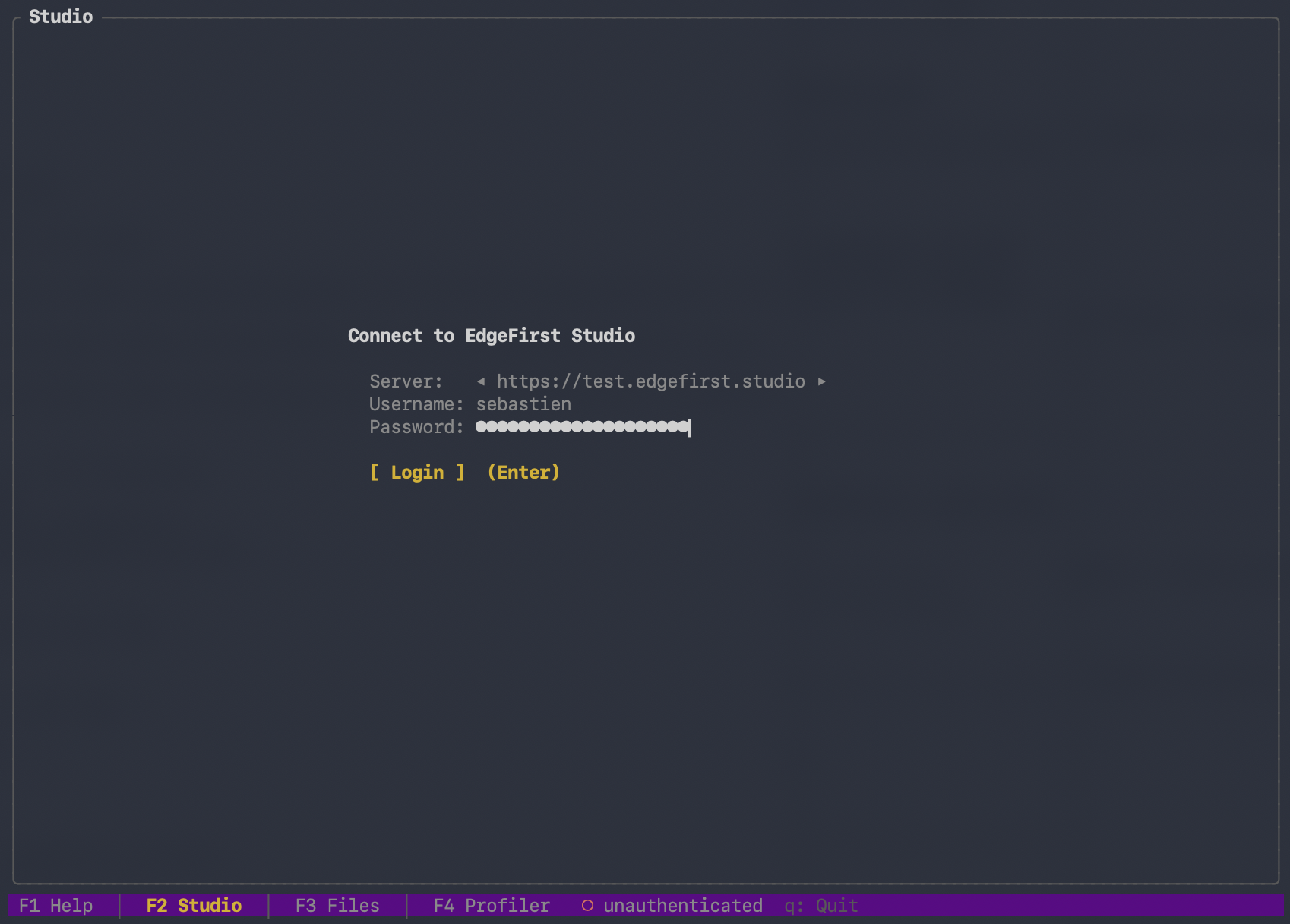
Once you are signed in, the same screen flips to the Studio Explorer (projects → experiments → training sessions → artifacts). The login persists across profiler runs.
The status bar at the bottom of the TUI shows the current login state — ● user@server when connected, ○ disconnected otherwise.
Token storage and refresh
After a successful login the token is written to:
- Linux / macOS:
~/.config/edgefirststudio/token - Windows:
%APPDATA%\edgefirststudio\token
Treat the token like an SSH private key — anyone with it can act as you against the Studio API. To invalidate the token immediately, delete the file and rotate your Studio password.
Verifying the connection
edgefirst-profiler login
# Logged in as you@example.com on https://edgefirst.studio
The profiler does not currently expose a standalone whoami subcommand. Re-running login is the simplest way to confirm the saved token still works; if it has expired, login prompts for credentials again.
Logging out
Remove the token file:
rm ~/.config/edgefirststudio/token
Remove-Item "$env:APPDATA\edgefirststudio\token"
del %APPDATA%\edgefirststudio\token
The next Studio operation will prompt for login.