Convert hailo
The following outlines the basic steps required to convert a model to Hailo HEF format. For detailed information about the conversion process and available configuration options, refer to the Hailo Converter.
-
Click on the completed training session.
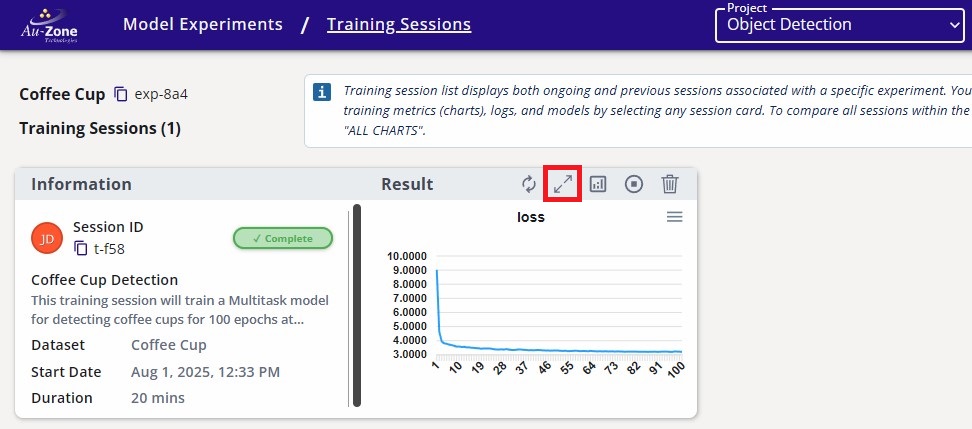
Completed Training Session -
Navigate to the Artifacts tab and click the Hailo Converter button under Converters on the right.
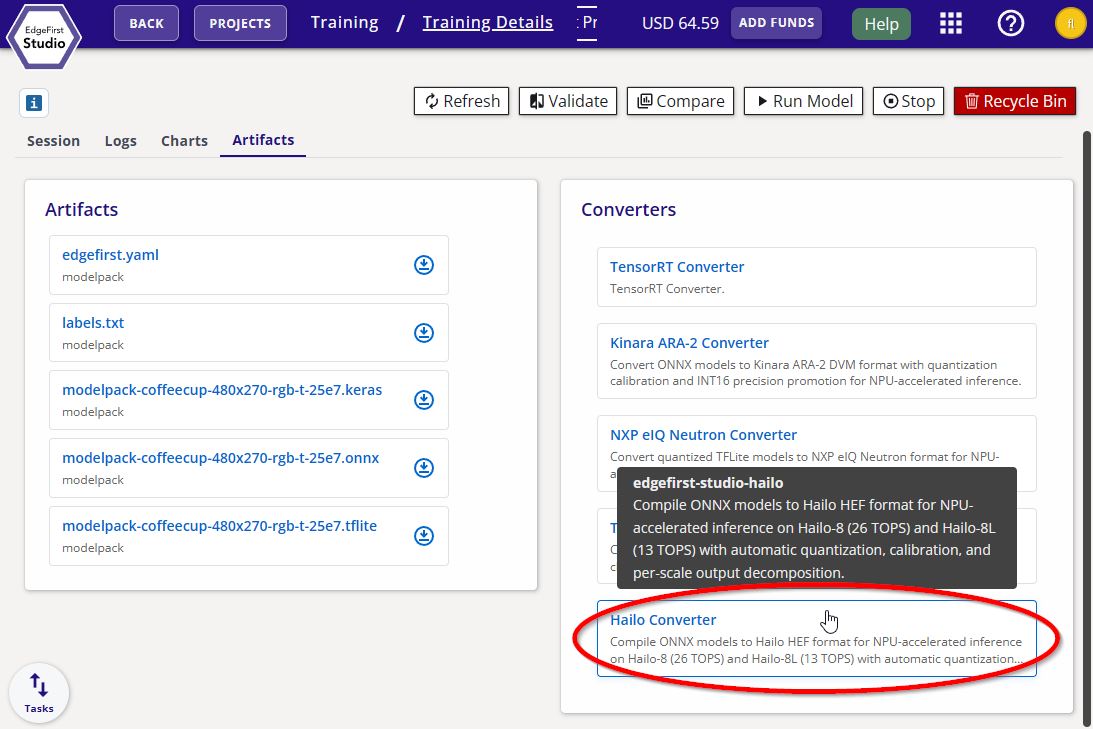
Hailo Converter -
Pick the target hardware and quantization preset, then click Start App to begin the conversion.
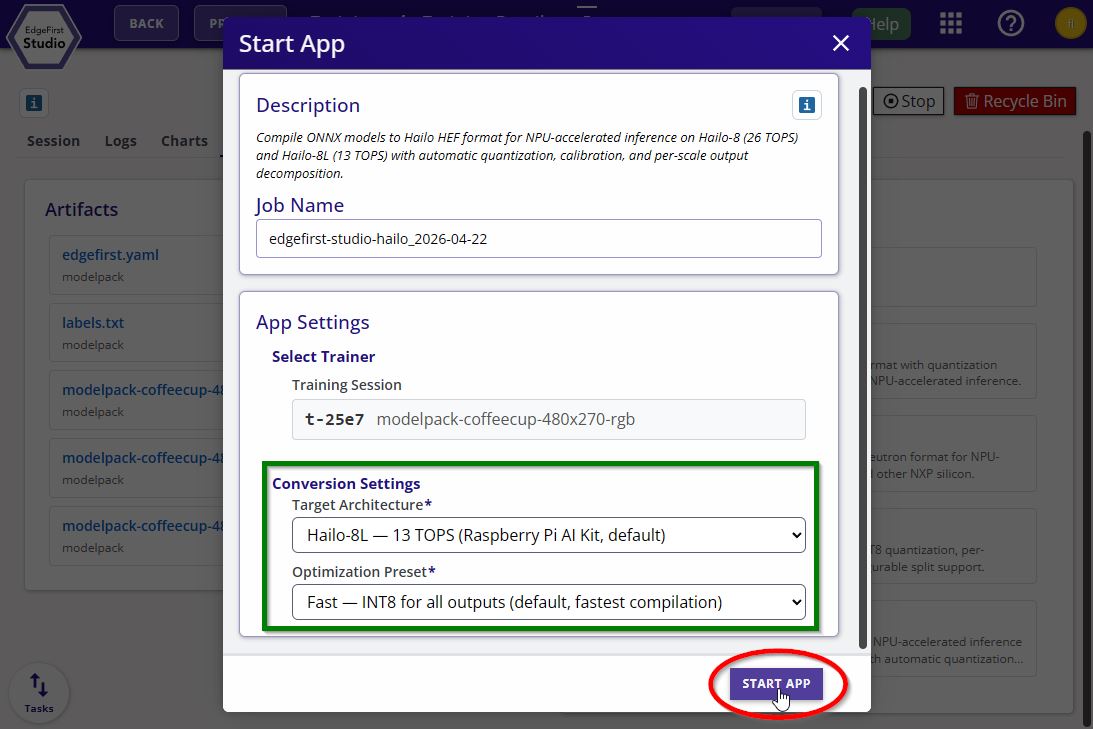
Hailo Converter Options
Now that you have quantized your model, you can now proceed to validating the performance of your model on target.